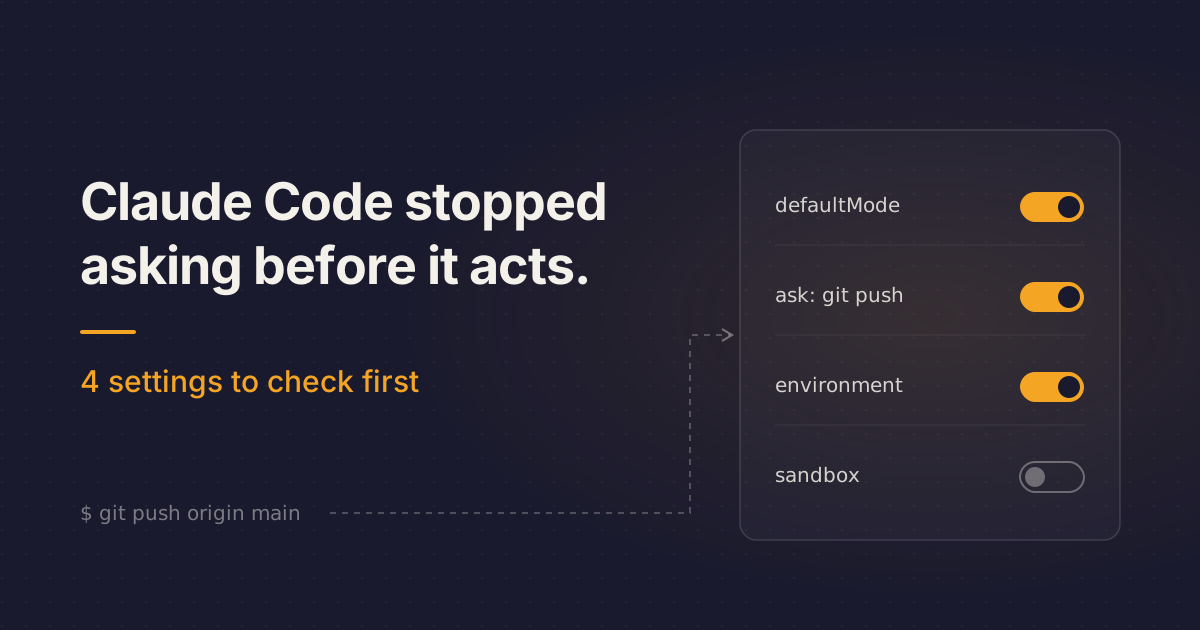
You open a company repo on Monday, type claude, ask it to fix a flaky checkout E2E test, and it starts running shell commands without a single prompt, just a one-time notice at the top of the session. Since Claude Code v2.1.284 (September 28, 2026), auto mode is the built-in starting mode on every plan and provider, and in the docs' words, "a second model, the classifier, reviews actions instead of you."
API, Enterprise and cloud-provider users meet this default this week; Pro, Max and Team have had it since August. Should you change anything? Yes: four settings, mostly a few lines of JSON.
Auto mode now reaches plans that never opted in
The changelog shows the widening: v2.1.283 (September 25) covered third-party providers and telemetry-off sessions, v2.1.284 (September 28) made it "every plan and provider", and v2.1.285 (September 29) reached some claude -p and Agent SDK sessions.
It applies to interactive terminal and VS Code sessions on recent Opus, Sonnet and Fable models (the cutoff is higher on Bedrock, Agent Platform and Foundry; older models start in Manual).
The docs don't oversell it: "Auto mode reduces permission prompts but does not guarantee safety." Reads and file edits inside your working directory skip the classifier, which mostly reviews shell commands and network operations.
Anthropic says users approve 97% of permission prompts, and that in testing humans caught 13.6% of dangerous commands versus 89% for auto mode. Its engineering post reports a 0.4% false-positive rate and a 17% false-negative rate on 52 real overeager actions, which Anthropic calls "the honest number."
Does this change your day?
If you run Claude Code interactively against company repos, yes. If you already set permissions.defaultMode in ~/.claude/settings.json or always launch with --permission-mode, you can skip to the settings; those still win over the built-in default. If you don't use Claude Code, only the radar applies.
Scripts are murkier. The permission modes table still says claude -p and the Agent SDK start in default, but the v2.1.285 changelog changed that for third-party-provider and telemetry-off setups. If your CI runs that way, check it.
Two details catch people. "auto" in a project's .claude/settings.json or .claude/settings.local.json does nothing; it only works from ~/.claude/settings.json, managed settings, or the flag. And VS Code never reads project settings for the starting mode. claudeCode.initialPermissionMode pins it, but doesn't accept auto.
Why the setup most of us will run leaks
Most developers will accept the default, keep the allow rules they built up in Manual mode, and type "don't push" into the chat when a task feels risky.
That chat line is the weakest link. It counts as a block signal, but it's re-read from the transcript on every check, and the docs warn it "can be lost if context compaction removes the message."
Old allow rules shift too. Auto mode drops broad ones like Bash(*), but narrow rules like Bash(npm test) stay and skip the classifier, so they can wave a destructive argument through. Backslash Security recommends auditing custom rules like Bash(git:*) for this reason.
And the classifier trusts only your working directory and the remotes configured at session start. Push to your company org or call an internal service, and it blocks. Three blocks in a row or 20 total drop you back to prompting, and neither threshold is configurable.
The four settings to check before Monday
1. Pick your starting mode on purpose
The flag wins first, then permissions.defaultMode in a settings file, then the built-in default. To start every terminal session in Manual, save this in ~/.claude/settings.json:
{
  "permissions": {
    "defaultMode": "default"
  }
}
For one session, use claude --permission-mode default or claude --permission-mode plan. Shift+Tab cycles modes mid-session.
2. Move your hard lines out of chat and into rules
By default, auto mode allows pushing to any branch of the current repo, including the default branch, and creating a matching PR. It also allows reading .env and sending credentials to their matching API. The docs recipe keeps auto mode but adds a human checkpoint before push and PR:
{
  "permissions": {
    "ask": [
      "Bash(git push *)",
      "Bash(gh pr create *)"
    ]
  }
}
For a hard guarantee, the docs point to a permissions.deny rule instead. One gap: a push written as git -C <dir> push slips past this rule, and a PreToolUse hook closes it.
3. Tell the classifier what your infrastructure looks like
The docs call autoMode.environment the fix for "the most common false positives." Add your source-control org and key services first:
{
  "autoMode": {
    "environment": [
      "$defaults",
      "Source control: github.example.com/acme-corp and all repos under it",
      "Trusted cloud buckets: s3://acme-build-artifacts, gs://acme-ml-datasets",
      "Trusted internal domains: *.corp.example.com, api.internal.example.com",
      "Key internal services: Jenkins at ci.example.com, Artifactory at artifacts.example.com"
    ]
  }
}
autoMode isn't read from project settings, so a checked-in repo can't inject its own allow rules. On Pro, Max and Team, /auto-mode-setup drafts entries for you. Doing client work that keeps getting blocked (issue #97613)? The config docs point to entries including "Host containment" and "Sensitive remote targets." Then confirm what the classifier will use:
claude auto-mode configThe Recently denied tab in /permissions (press r to retry) becomes your tuning backlog.
4. Put the sandbox underneath
The docs say the Bash sandbox "adds defense in depth":
{
  "sandbox": {
    "enabled": true
  }
}
The settings reference also documents permissions.blockReadsOutsideWorkingDirectories if you want reads fenced in.
Auto mode can make your review stricter, if you let it
Since v2.1.200, auto mode blocks commenting out, deleting or force-passing tests that guard auth, access control, input validation or sandboxing. That's a real guardrail against "just make CI green," but only for shell and tool actions. File edits skip the classifier, and Backslash found insecure edits, such as disabling certificate validation, went through "12 for 12." Diff review stays your job, and the ask rule on git push gives you a prompt before most pushes, which is your cue to read the diff.
The classifier also blocks merging a PR no human approved and approving Claude's own PR, so your two-person rule survives.
For teams, move the classifier's rules into managed settings. Developers can extend the list but can't remove managed entries, though a personal allow can still override a managed soft_deny; only managed permissions.deny "can't be overridden." Admins can switch auto mode off with permissions.disableAutoMode set to "disable" in managed settings, per the permission modes page; the settings reference shows a different shape, so read both.
CLAUDE.md instructions like "never force push" steer both Claude and the classifier, which makes CLAUDE.md a policy file. Review changes to it like CI config.
Where it breaks on real work
Start with the 17%: by Anthropic's own measure, roughly one in six overeager actions gets through. Backslash adds that in 8 of 20 runs a shell command was denied, and all 8 times the agent reached the same result through file edits.
It fails closed during outages. With no verdict from server review, even echo ok is denied, and the turn stops after ten no-verdict responses in a row. Issue #97854 asks for a health check or ETA; there's none beyond the "Auto mode server" row in /status. The same error on ordinary project-local writes (issue #95982) has no maintainer answer either.
In issue #98199, a reversible migration got blocked ten minutes after it was allowed, despite CLAUDE.md pre-authorizing deploys. The docs explain part of it: production deploys and migrations are blocked by default, and some blocks can't be cleared from chat, so you leave auto mode and answer the prompt, or add an autoMode.allow entry. The same rules explain "I typed go ahead and it still blocked" (issue #95777): an approval must name the action and its specifics ("You can force-push" leaves the block in place), and hard_deny blocks ignore user intent.
The block list has gaps. An HN report describes pkill -f "cat" killing unrelated processes, and killing processes isn't on the documented default block list. An open bug (issue #98345) runs the first turn in Manual despite defaultMode: "auto", with no maintainer reply.
Pro, Max and Team never pay for classifier requests. On Enterprise, the API and the cloud providers, classifier calls count toward token usage unless server review reaches you, and a gateway stripping the safeguards field is the usual culprit (billing docs).
For company code, each check sends "a portion of the transcript plus the pending action." The classifier sees your messages, tool calls and CLAUDE.md (tool results are stripped) and runs on Claude Sonnet 5, not your /model choice. The docs state no retention terms for classifier calls, so don't assume any.
Verdict: try it on a side task first
A 17% miss rate by the vendor's own count, edits the classifier never sees, and this week's fail-closed outages justify holding off on shared repos. You could reasonably disagree: one HN user says auto mode "actually works" and spares them from running Codex in "Full access" just to get git push through. With the four settings in place, it's a reasonable default for personal and sandboxed repos.
This week, open ~/.claude/settings.json and pick your starting mode yourself. If you can't say which mode your next session starts in, someone else already picked it.
Your other AI tools changed under you too
Since GitHub's Copilot policy switch on September 28, company chat on github.com is "retained for the life of the account instead of 28 days," and the only opt-out drops Copilot on github.com and Mobile. "Default" code review effort now means Balanced, so pick Lite explicitly if you want the previous Lite behavior (GitHub changelog).
OpenAI's GPT-6 Sol and Luna launched September 22 at $2/$10 and $0.10/$0.50 per million tokens (pricing), which The Next Web reports as a 50% cut. Codex CLI 0.159.1 (September 29) makes GPT-6.1 Sol the default (changelog), so your CLI's model changed under you.
The Copilot app got local sandboxing in public preview on September 23, limiting file, network, and Git and GitHub CLI credential access. It's off by default, so enable "Sandbox new sessions" in project settings or run /sandbox on; it doesn't cover cloud or remote sessions (GitHub changelog).