If an interviewer asks about the browser rendering pipeline, they are not testing trivia. They want to know if you understand why UI performance breaks.
Most candidates recite terms like layout, paint, and compositing.
Strong candidates explain what changes, what stays stable, and what becomes expensive.
This guide shows how to explain the rendering pipeline clearly in interviews, using simple mental models and real cause and effect reasoning.
Start with the one sentence summary
In interviews, always begin with a compression.
Say this:
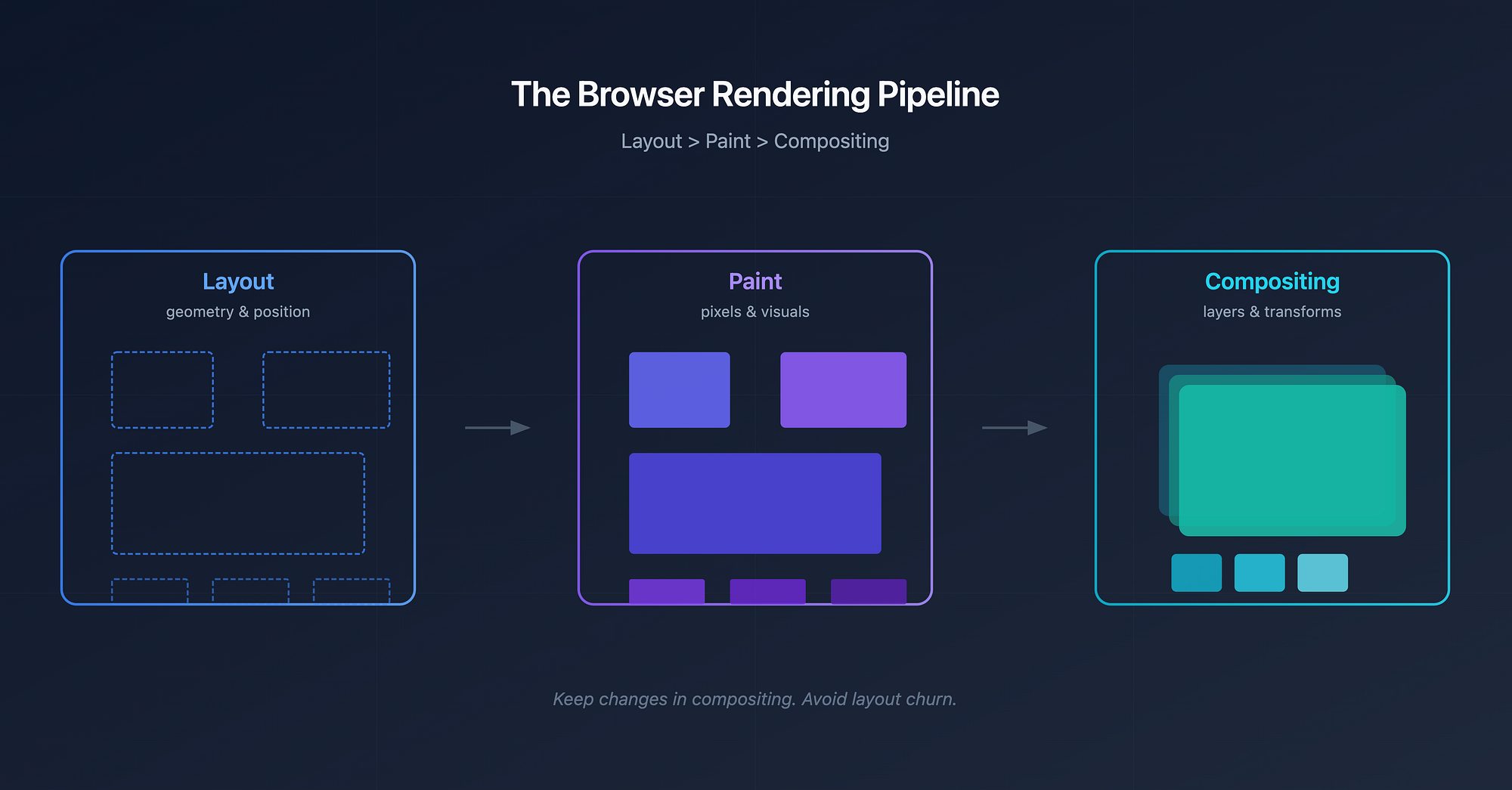
"The browser turns HTML and CSS into pixels in three main stages: layout decides geometry, paint fills pixels, and compositing moves pre painted layers."
That sentence sets context. Now you expand.
The core mental model
Think of the browser like a print shop.
- Layout decides where everything goes on the page
- Paint fills in colours, text, borders, and shadows
- Compositing assembles layers and moves them around efficiently
If layout changes, everything downstream gets invalidated. If only compositing changes, the browser can stay fast.
This dependency chain is the key insight interviewers want.
Layout: The expensive geometry pass
Layout answers questions like:
- How wide is this element
- Where does it sit relative to others
- How does text wrap
Layout depends on:
- DOM structure
- CSS affecting size or position
- Viewport size
Important point to say out loud:
"Layout is expensive because changing one element can affect many others."
This is why layout cost grows non linearly in large pages.
What triggers layout
Examples:
- Changing width, height, margin, padding
- Modifying font size
- Adding or removing DOM nodes
- Reading layout values like offsetHeight after a write
Mention this pattern explicitly:
"Reads after writes force the browser to flush layout."
That shows real world understanding.
Paint: Turning geometry into pixels
Paint happens after layout is known.
The browser now draws:
- Text glyphs
- Backgrounds
- Borders
- Shadows
Paint does not care where things are. It cares what they look like.
Important interview framing:
"Paint is about visual complexity, not structure."
What triggers paint
Examples:
- Changing colour or background
- Box shadows
- Border radius
- Visibility changes
Paint is cheaper than layout, but still expensive on large surfaces.
Compositing: Moving pixels instead of redrawing them
Compositing is where performance optimisations live. The browser separates parts of the page into layers.
Then it can:
- Move layers
- Fade them
- Transform them
Without repainting their contents. This is why transforms and opacity are special.
Say this clearly:
"Compositing lets the browser reuse painted pixels instead of creating new ones."
That sentence often lands well.
Why some CSS changes are expensive
Now connect theory to practice.
Explain it like this:
"The cost of a CSS change depends on how far up the pipeline it invalidates."
Examples:
- width change triggers layout, paint, compositing
- background-color triggers paint and compositing
- transform often triggers compositing only
The earlier the stage, the more work follows. This causal explanation is what interviewers listen for.
Forced synchronous layout: The hidden footgun
This is a senior level signal.
Explain this scenario:
- JS changes styles
- JS immediately reads layout values
- Browser is forced to compute layout early
Say this:
"This breaks batching and causes layout thrashing."
You do not need code examples. Just showing awareness is enough.
Wrapping Up
End with this:
"Good UI performance is mostly about keeping changes in the compositing stage and avoiding layout churn."
If you say that confidently, you sound like someone who has debugged jank in production. And that is exactly what they are looking for.