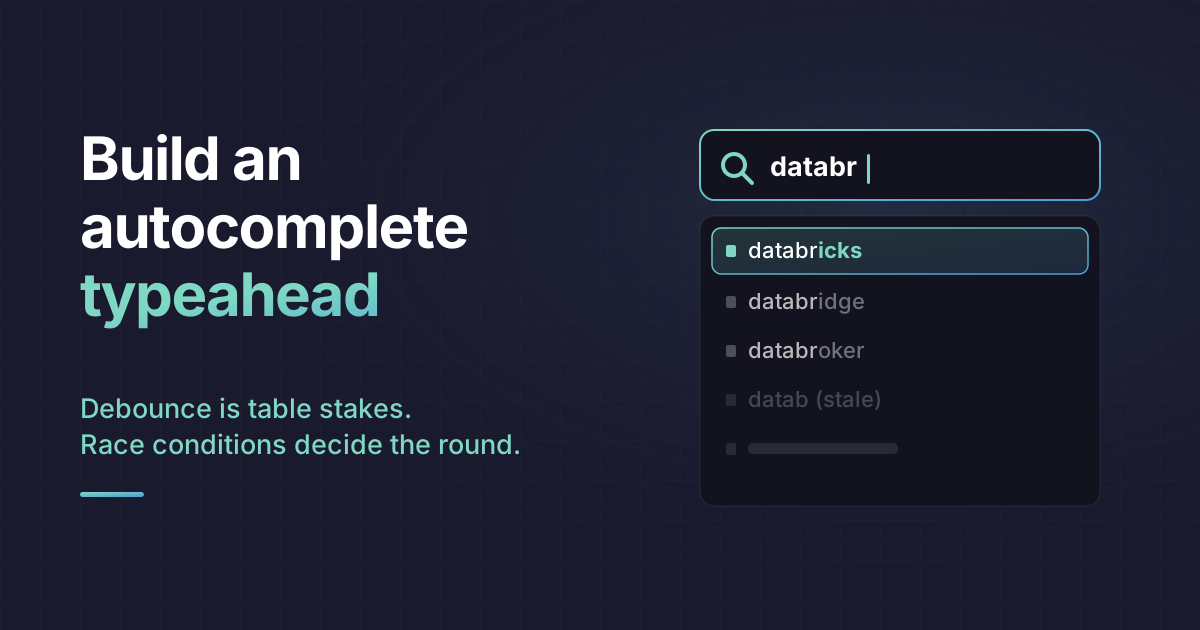
You wire an input to a search API, debounce the keystrokes, render the suggestions, and it works. On your laptop, on office wifi, it looks done. Then the interviewer opens devtools, throttles the connection to slow 3G, and types "databricks" fast. The dropdown flickers, then settles on results for "datab". Your typeahead just showed the wrong answer, and you didn't touch a thing.
That is the moment the round is actually decided. Everyone debounces the input and thinks they've solved autocomplete. The debounce is table stakes. What you're really graded on are the three things that break the second the network gets slow and the user types fast: out-of-order responses, wasted network calls, and whether anyone using a keyboard or screen reader can operate the thing at all. By the end of this post you'll be able to build all of it, and explain why each piece exists, which is the part that separates a passing answer from a nod-and-move-on.
We'll build it incrementally, and each step will expose a bug the previous step didn't fix.
The naive version, and why it fails immediately
Here's the first thing most candidates write. Fetch on every keystroke, drop the results into state.
function SearchBox() {
  const [query, setQuery] = useState("");
  const [results, setResults] = useState([]);

  async function handleChange(e) {
    const value = e.target.value;
    setQuery(value);
    const res = await fetch(`/api/search?q=${encodeURIComponent(value)}`);
    setResults(await res.json());
  }

  return (
    <div>
      <input value={query} onChange={handleChange} />
      <ul>
        {results.map((r) => (
          <li key={r.id}>{r.name}</li>
        ))}
      </ul>
    </div>
  );
}
Type "databricks" and you fire ten requests, one per character, for results almost none of which the user will ever look at. On a real API with rate limits and cost per call, this is the version that gets you a polite "how would you reduce load?" That question has a name.
Debounce is where the answer starts, not where it ends
Debounce delays the fetch until typing pauses. The accepted window is 200 to 400ms. Go down to around 100ms and it feels snappier but you pay for it in server load, so 250ms is a sane default to name out loud.
I'll pull the debounced value into a hook, because in the real build you want the fetch logic to live somewhere testable, not inside an onChange.
function useDebouncedValue(value, delay = 250) {
  const [debounced, setDebounced] = useState(value);
  useEffect(() => {
    const id = setTimeout(() => setDebounced(value), delay);
    return () => clearTimeout(id);
  }, [value, delay]);
  return debounced;
}
If the interviewer asks you to implement debounce itself from scratch, that's a separate primitive with its own edges (leading edge, maxWait, cancel, flush). It's worth knowing cold, but it isn't the point of this widget. Here debounce is one ingredient, and the hard parts are everything debounce does not solve.
The race condition that ships wrong results to production
Now the bug that actually fails candidates. Debounce reduces how often you fetch. It does nothing about the order responses come back in.
Picture the debounce firing on "datab" and then again on "databricks". Two requests are now in flight. On a slow connection there is no guarantee the second one resolves second. If "datab" comes back last, it overwrites the correct "databricks" results, and your UI confidently displays stale data for a query the user already moved past.
Here is the version that looks correct and is wrong:
function useAutocomplete(query) {
  const [results, setResults] = useState([]);
  const [status, setStatus] = useState("idle");

  useEffect(() => {
    if (!query) {
      setResults([]);
      return;
    }
    setStatus("loading");
    fetch(`/api/search?q=${encodeURIComponent(query)}`)
      .then((res) => res.json())
      .then((data) => {
        setResults(data); // whichever request resolves LAST wins
        setStatus("success");
      });
  }, [query]);

  return { results, status };
}
The comment is the whole problem. Last write wins, and the last write is decided by the network, not by what the user typed. The core rule you need to state is simple: only ever show results for the most recent request, and ignore everything stale.
There are two accepted ways to enforce that rule. Cancel the old request, or ignore its response when it lands.
Fix one: AbortController, the current baseline idiom
AbortController gives you a signal you hand to fetch. Call abort() and the in-flight request is cancelled. In an effect, the cleanup function is the natural place to abort the previous request when query changes.
function useAutocomplete(query) {
  const [results, setResults] = useState([]);
  const [status, setStatus] = useState("idle");

  useEffect(() => {
    if (!query) {
      setResults([]);
      setStatus("idle");
      return;
    }

    const controller = new AbortController();
    setStatus("loading");

    fetch(`/api/search?q=${encodeURIComponent(query)}`, {
      signal: controller.signal,
    })
      .then((res) => res.json())
      .then((data) => {
        setResults(data);
        setStatus("success");
      })
      .catch((err) => {
        if (err.name === "AbortError") return; // expected, not a real error
        setStatus("error");
      });

    return () => controller.abort();
  }, [query]);

  return { results, status };
}
Two details that separate people who've done this from people who read about it.
An aborted fetch does not resolve, it rejects with a DOMException whose name is "AbortError". If you don't special-case it in the catch, you'll flip the widget into an error state every single time the user keeps typing, which looks exactly like a broken API. That guard is not optional.
And the abort belongs in the cleanup. React runs the cleanup for the previous effect before running the next one, so every new query tears down the request for the old one. On unmount it fires too, so you won't set state on a gone component.
Fix two: request-ID tracking, for when you can't abort
Some environments don't hand you an abortable transport, or you're calling through a client that swallows the signal. The fallback is a sequence number. Tag each request, and only apply a response if its ID is still the latest.
function useAutocomplete(query) {
  const [results, setResults] = useState([]);
  const latestId = useRef(0);

  useEffect(() => {
    const requestId = ++latestId.current;
    fetch(`/api/search?q=${encodeURIComponent(query)}`)
      .then((res) => res.json())
      .then((data) => {
        if (requestId === latestId.current) {
          setResults(data); // stale responses are simply dropped
        }
      });
  }, [query]);

  return { results };
}
This doesn't save the network call, the stale request still finishes, you just refuse to render its result. Aborting is better because it also frees the connection. But knowing both, and knowing when abort isn't available, is the answer that reads as senior. Mention out loud that you'd test this exact path on throttled 3G with rapid typing, because that's precisely how the interviewer will try to make it show an outdated query.
A cache turns backspace into an instant response
Watch a real user. They type "databricks", delete back to "data", retype forward. Every backspace to a query you already fetched is a network call you already paid for. An in-memory cache kills that waste and makes the widget feel instant.
Key it on the normalized query, trimmed and lowercased so "React " and "react" hit the same entry. Store the results with a timestamp so you can expire them.
const cache = new Map(); // query -> { results, timestamp }
const TTL = 5 * 60 * 1000; // 5 minutes

function normalize(q) {
  return q.trim().toLowerCase();
}

async function fetchSuggestions(query, signal) {
  const key = normalize(query);
  const hit = cache.get(key);

  if (hit && Date.now() - hit.timestamp < TTL) {
    return hit.results; // served instantly, no network
  }

  const res = await fetch(
    `/api/search?q=${encodeURIComponent(query)}&limit=10`,
    { signal }
  );
  const results = await res.json();
  cache.set(key, { results, timestamp: Date.now() });
  return results;
}
Two things worth saying while you type this. Cap the result count on the request itself, a limit of 10 keeps payloads small and the dropdown usable; nobody scans a 200-item typeahead. And the TTL matters because a search cache that never expires will happily serve suggestions for a product that got deleted an hour ago.
The nicer version is stale-while-revalidate. Show the cached results immediately, then fire the network in the background and update if the fresh response differs. The user sees something within the 100 to 300ms window that makes a typeahead feel responsive, and the correction, when there is one, arrives quietly. You still run the abort and staleness guards on the revalidation request, because a background refresh can land out of order just like a foreground one.
The part everyone skips: an accessible combobox
Here's my actual stance, and it's the one a reasonable person can argue with: a typeahead that ignores keyboard and screen-reader access is a failing answer even when it works perfectly with a mouse on a fast connection. It's not a bonus. A search box that a keyboard user cannot navigate is a broken search box, and a good interviewer treats it that way.
The pattern has a spec: the ARIA combobox. The input gets role="combobox", the popup gets role="listbox", and each suggestion gets role="option". The wiring between them is a set of attributes:
aria-expandedreflects whether the popup is open.aria-controlspoints at the popup's id.aria-autocomplete="list"tells assistive tech that a list of suggestions will appear.aria-activedescendantholds the id of the currently highlighted option.aria-selected="true"marks that active option.
The counterintuitive rule is focus. DOM focus never leaves the input. You don't move focus onto the options. Instead aria-activedescendant tracks which option is virtually highlighted, so the user keeps typing while arrowing through results. This is the detail people get wrong most, because the intuitive move is to focus each li, and that breaks the typing flow.
function highlight(text, query) {
  const q = query.trim();
  if (!q) return text;
  const at = text.toLowerCase().indexOf(q.toLowerCase());
  if (at === -1) return text;
  return (
    <>
      {text.slice(0, at)}
      <strong>{text.slice(at, at + q.length)}</strong>
      {text.slice(at + q.length)}
    </>
  );
}

function Autocomplete() {
  const [query, setQuery] = useState("");
  const debounced = useDebouncedValue(query);
  const { results, status } = useAutocomplete(debounced);
  const [open, setOpen] = useState(false);
  const [activeIndex, setActiveIndex] = useState(-1);

  function onKeyDown(e) {
    if (!open && (e.key === "ArrowDown" || e.key === "ArrowUp")) {
      e.preventDefault();
      setOpen(true);
      setActiveIndex(e.key === "ArrowDown" ? 0 : results.length - 1);
      return;
    }
    switch (e.key) {
      case "ArrowDown":
        e.preventDefault();
        setActiveIndex((i) => (i + 1) % results.length);
        break;
      case "ArrowUp":
        e.preventDefault();
        // i === -1 (opened by typing) resolves to the last option
        setActiveIndex((i) => (i <= 0 ? results.length - 1 : i - 1));
        break;
      case "Home":
        setActiveIndex(0);
        break;
      case "End":
        setActiveIndex(results.length - 1);
        break;
      case "Enter":
        if (activeIndex >= 0) select(results[activeIndex]);
        break;
      case "Escape":
        setOpen(false);
        setActiveIndex(-1);
        break;
      default:
        break;
    }
  }

  function select(item) {
    setQuery(item.name);
    setOpen(false);
    setActiveIndex(-1);
  }

  return (
    <div>
      <input
        role="combobox"
        aria-expanded={open}
        aria-controls="search-listbox"
        aria-autocomplete="list"
        aria-activedescendant={
          activeIndex >= 0 ? `option-${activeIndex}` : undefined
        }
        value={query}
        onChange={(e) => {
          setQuery(e.target.value);
          setOpen(true);
        }}
        onKeyDown={onKeyDown}
      />

      {open && (
        <ul role="listbox" id="search-listbox">
          {status === "loading" && <li aria-disabled>Searching...</li>}
          {status === "error" && <li aria-disabled>Something went wrong</li>}
          {status === "success" && results.length === 0 && (
            <li aria-disabled>No matches</li>
          )}
          {results.map((item, i) => (
            <li
              key={item.id}
              id={`option-${i}`}
              role="option"
              aria-selected={i === activeIndex}
              onMouseDown={() => select(item)}
            >
              {highlight(item.name, query)}
            </li>
          ))}
        </ul>
      )}

      <span role="status" aria-live="polite" className="sr-only">
        {status === "success" ? `${results.length} results available` : ""}
      </span>
    </div>
  );
}
Down arrow opens the popup and moves to the first option, up arrow wraps to the last, Enter accepts, Escape closes and returns to the plain input, Home and End jump to the ends. The aria-live="polite" region matters more than it looks: a sighted user sees results appear, but a screen reader user hears nothing unless you announce the count and the loading state. That's the difference between a widget that technically has ARIA roles and one that's actually usable without eyes.
Notice onMouseDown rather than onClick on the options. Click fires after blur, and blur can close the popup before the selection registers. Small bug, very common, easy to demonstrate you've hit it before.
And highlight is the touch that makes it feel finished: bold the matched substring inside each suggestion so the user sees why a result matched. It's cosmetic, but it's the kind of detail that reads as someone who has actually shipped one of these.
Even the libraries treat cancellation as the hard part
If you want a talking point that lands, mention that mature libraries model this exact problem the same way. TanStack Query passes an AbortSignal into your query function and aborts it when the query goes out of date or inactive, but only if you actually consume the signal. If you ignore it, a query that unmounts before resolving is not cancelled; the response still lands in the cache. That default surprises people.
Cancellation is genuinely hard, hard enough that TanStack has shipped documented race-condition bugs in it around multiple observers and fetchQuery interplay. When library authors with years on this keep finding edges, it's a fair signal that hand-rolling it in an interview and getting the staleness guard right is worth real credit.
What the interviewer is actually checking
Strip away the widget and the question is whether you understand async UI under adversarial conditions. Fast typing plus a slow network is not an edge case, it's Tuesday for anyone on mobile data. A typeahead that renders the wrong query, or that a keyboard user can't drive, fails on exactly the inputs that matter most.
So if you have five minutes left and a working mouse-driven dropdown, don't polish the CSS. Add the abort guard and the aria-activedescendant wiring. Those two are what the person across the table is waiting to see, and they're what most candidates run out of time before reaching.