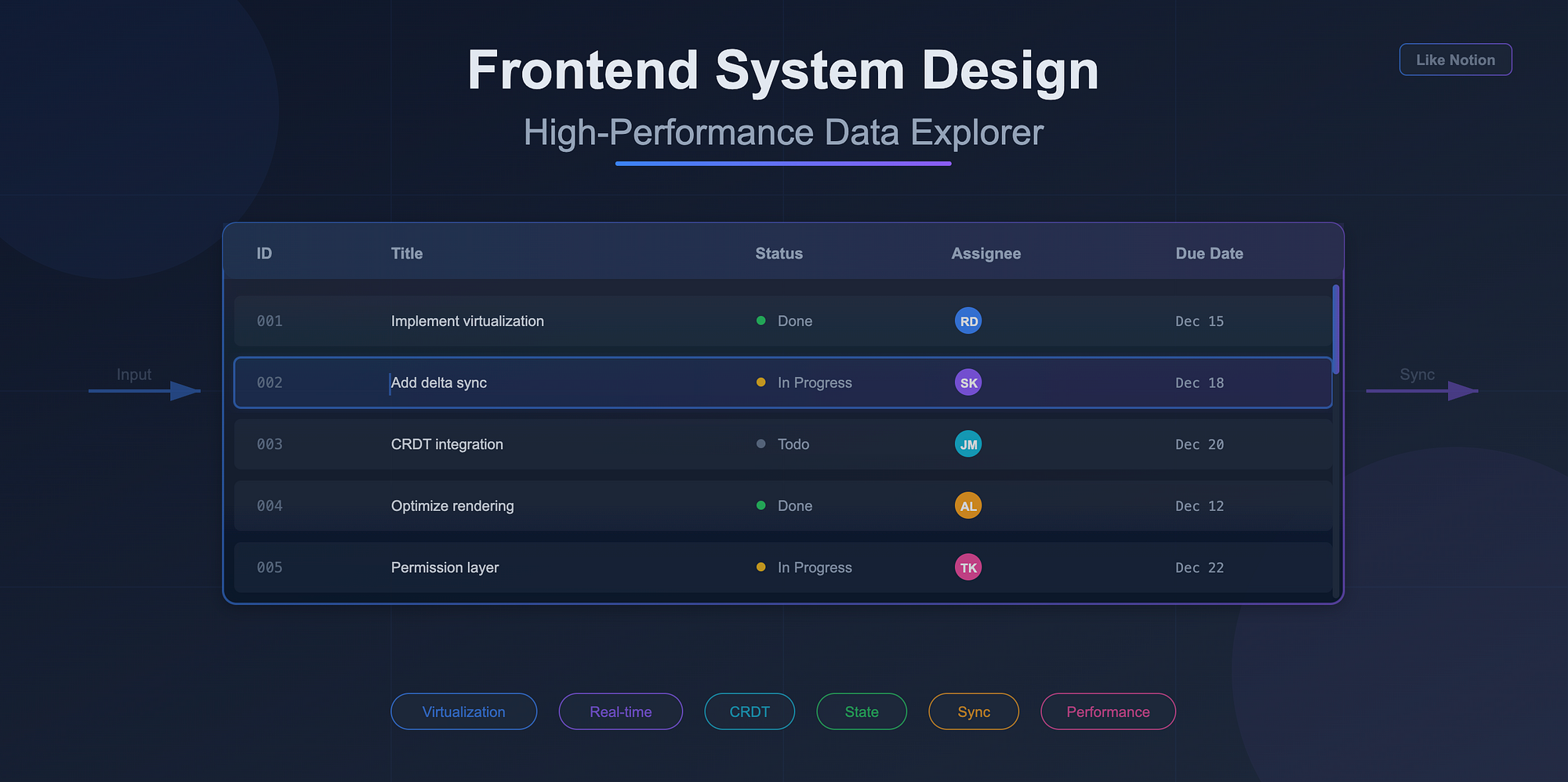
Designing a data explorer that feels as smooth as Notion tables is one of the hardest frontend engineering problems. It looks like a spreadsheet, but behind the scenes it behaves like a distributed, collaborative, infinitely scrollable UI that syncs across clients in real time. When candidates get this in system design rounds, they often jump straight into components or Redux slices, and quickly get overwhelmed.
This post breaks the system down into the core problems you actually need to solve: state modelling, rendering, backend sync, editing flows, collaboration and production constraints. By the end you'll have a mental map you can use both in interviews and in real projects.
1. What makes Notion-like tables hard
A Notion-style data explorer is not a static table. It is a dynamic view over a dataset. Users can add custom columns, create saved views, define filters, change sorts, configure visualization, edit cells inline, and collaborate with others.
The UI needs to feel real time even when paging through tens of thousands of rows. It must avoid re-render storms, stale selections, flickering focus, and broken keyboard flows.
Here is a simple textual diagram of the system:
[User Input] ─▶ [View Model] ─▶ [Virtualized UI]
                                  │
                                  ▼
                           [Backend Sync]
                                  │
                                  ▼
                             [Data Store]
Everything depends on the view model sitting between input and rendering.
2. State modelling: rows, columns, filters, sorts, views
A scalable state model treats the table not as a giant blob of JSON, but as a layered structure with clear boundaries.
A good starting point:
{
  dataset: {
    byId: { rowId: rowData },
    order: [rowId1, rowId2, ...]
  },
  columns: [
    { id: "title", type: "text", width: 240 },
    { id: "status", type: "select", options: ["Todo", "Doing", "Done"] }
  ],
  view: {
    filters: [...],
    sorts: [...],
    pagination: { cursor: "...", pageSize: 50 }
  },
  ui: {
    selection: { rowId, colId },
    editing: { rowId, colId },
    scrollOffsets: {...}
  }
}
Key idea: rows and columns live separately from the view model. The view is a query over the dataset. If the user changes sort order, you update the view, not the underlying data. This separation gives you cheaper recalculations and better undo/redo semantics.
Derived views
Filtering, sorting and pagination should produce derived row lists:
const visibleRows = selectVisibleRows(dataset, view);You compute this on demand or with memoization. Never mutate the dataset just to apply view-level operations.
Text diagram: State layers
Raw dataset (source of truth)
       │
       ▼
  Derived dataset (filters, sorts)
       │
       ▼
  Virtualized window (only what is visible)
This layering lets you reason about performance systematically.
3. Render performance: virtualization, batching, fragment updates
Notion-like tables rely heavily on virtualization. Without it, rendering thousands of rows is impossible.
Virtualization
Use react-window or react-virtualized, or implement your own if you need variable row sizes. The key trick: virtualization boundaries must be stable. If your row keys change unpredictably, React will blow away internal focus and editing state.
Batching and scheduling
React 18+ batching plus transitions allow you to separate urgent UI updates from expensive updates like recalculating visible rows.
startTransition(() => {
  updateDerivedRows();
});
This keeps cell editing smooth even when the dataset is huge.
Fragment updates
Instead of re-rendering an entire row when a cell changes, subscribe only to that cell's state:
const cellValue = useStore((s) => s.dataset.byId[rowId][colId]);This isolates updates to the smallest possible components.
Text diagram: Render pipeline
Data changes
     │
     ▼
State store updates (batched)
     │
     ▼
Derived rows recalculated (transition)
     │
     ▼
Virtualized window updates
     │
     ▼
Minimal cell updates (subscriptions)
4. Backend sync: pagination, delta updates, view-as-query
You need a backend model that supports partial loading and incremental updates.
Cursor-based pagination
Offset pagination collapses under large datasets. Cursor-based pagination is the default for tables like Notion.
GET /rows?cursor=abc&pageSize=50The client stores the cursor, not the offset. This supports infinite scroll and dynamic sorting.
Delta updates
When another client edits a row or the backend changes something, you do not want to reload the entire dataset. You want deltas:
{
  "updates": [
    { "id": "row123", "changes": { "status": "Done" } }
  ],
  "deletes": ["row998"]
}
The client merges updates into the dataset and updates derived rows lazily.
View as a query
A view should translate to a backend query. Example:
filters: [{ column: "status", op: "in", values: ["Todo", "Doing"] }],
sorts: [{ column: "dueDate", direction: "asc" }];
Backend translates this to:
SELECT ... WHERE status IN (...) ORDER BY dueDate LIMIT ...This prevents loading the entire dataset just to filter locally.
5. Cell editing, undo/redo, keyboard shortcuts
Inline editing introduces complexity because it interacts with selection state, focus, scroll, and collaboration concurrency.
Editing lifecycle
Focus cell
  ─▶ Enter edit mode
        ─▶ Validate changes (sync or async)
               ─▶ Apply changes to store
                      ─▶ Sync with backend
Local updates should be optimistic. If the backend rejects a change, you revert it and push an error toast or inline message.
Undo/redo
Do not rely on browser history. Maintain your own operation stack:
push({
  type: "EDIT_CELL",
  rowId,
  colId,
  before,
  after,
});
Undo becomes a reverse operation. Redo re-applies the change. This is cheap since changes are tiny diffs.
Keyboard model
Support key flows like:
- Arrow movement
- Enter to edit
- Esc to cancel
Keyboard support forces you to maintain clean selection state that is independent from DOM focus.
6. Real-time collaboration layer
To make the table collaborative like Notion, you need:
Presence
Track which user is selecting or editing which cell. Store presence separately from dataset:
presence: {
  userA: { rowId: "r1", colId: "title" },
  userB: { rowId: "r4", colId: "status" },
}
Presence should not trigger dataset re-renders. Treat it as ephemeral UI state.
CRDT or OT
For simple row-level edits, last-write-wins with deltas is enough. For text cells (rich text, long notes), use CRDT structures like Y.js or Automerge.
Reconciliation
When two users edit the same cell simultaneously:
- Apply local edits optimistically
- Receive remote edits
- Reconcile based on timestamp or CRDT merge
- Redraw only the affected cell
Text diagram: Collaboration flow
Local edit → optimistic update → share delta
                            ▲
                            │
                    remote deltas merged
7. Production considerations: permissions, row locks, conflicts
Big enterprises care about constraints you do not hit during prototyping.
Permissions
Permissions often vary per row and per column. For example:
- A user can view revenue numbers but not edit them
- A user can edit description but not tags
- A user cannot see archived rows
Store permissions separately:
permissions = {
  rowId: { canView: true, canEdit: false },
};
Your UI must use these checks to disable editing and hide sensitive fields.
Row-level locks
If your app supports long edits (think CRM pipelines), you might need soft locks. Example:
PUT /lock/row123
→ lock granted for 30 seconds
Show indicators like "Rahul is editing this row".
Conflict resolution
Conflicts can occur when users edit stale rows. Typical strategies:
- Automatic merge if fields differ
- Prompt user with a merge dialog
- Apply CRDT merge for text fields
- Last writer wins for simple enums
The key is consistency. The system should behave predictably even under contention.
Wrapping Up
When solving a Notion-table system design, structure your thinking around these layers:
- State model: raw dataset, derived view, UI state
- Rendering: virtualization, selective updates, transitions
- Backend sync: cursor pagination, delta updates, view-as-query
- Editing: optimistic updates, undo/redo, keyboard flows
- Collaboration: presence, deltas, CRDTs
- Production constraints: permissions, locks, conflicts
This gives you a complete picture. You show that you understand the UI, the data flow, the distributed complexity and the real-world constraints. And when you actually build such a data explorer, this structure keeps the implementation predictable as the dataset and features grow.