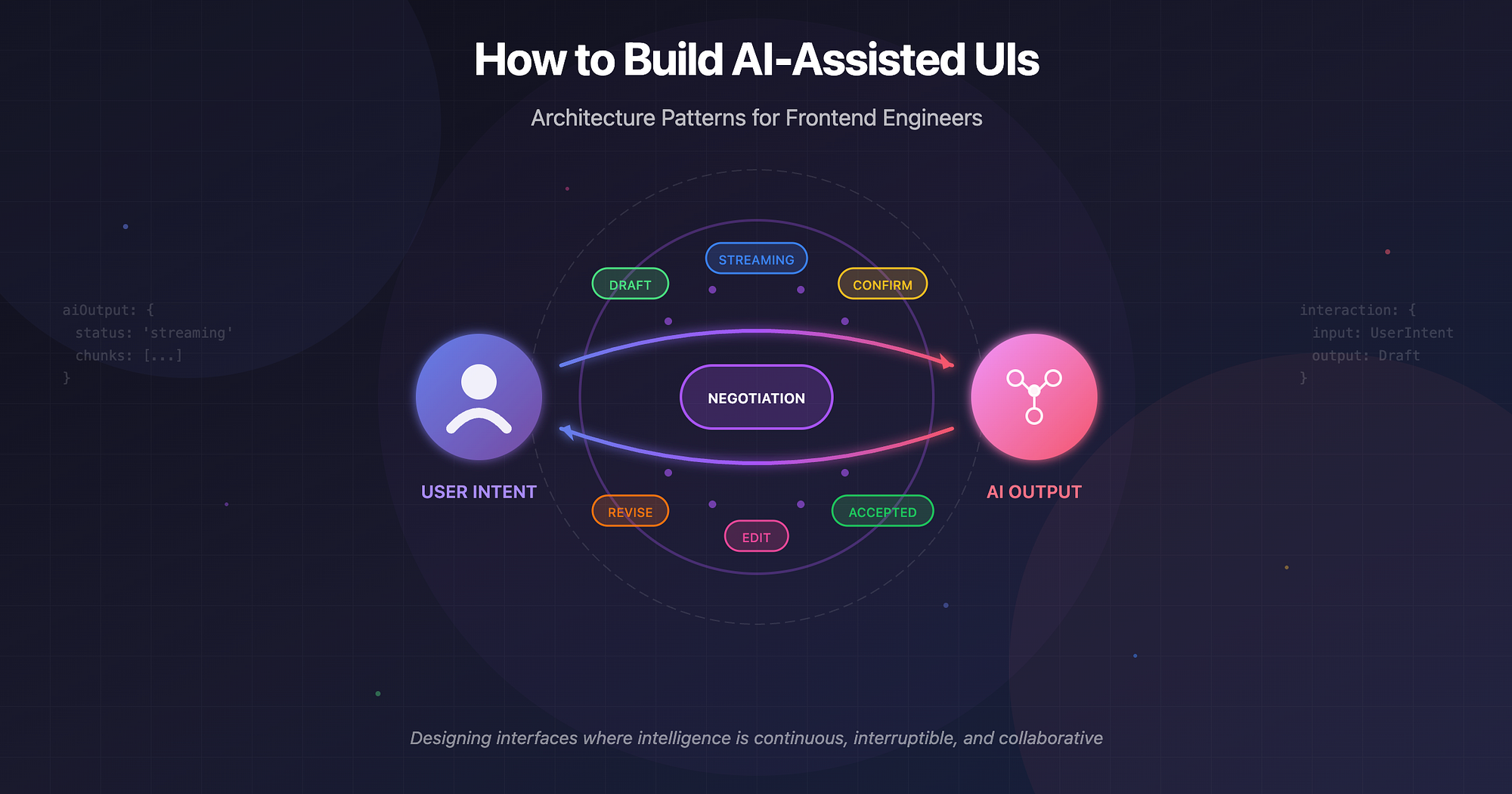
AI-assisted UIs are not "features". They are systems that participate in user intent.
If autocomplete was the first step, modern AI-assisted interfaces go further: they suggest, rewrite, reason, pause, resume, ask for clarification, and sometimes get it wrong visibly.
This post focuses on frontend architecture patterns for building such systems. Not models. Not prompts. Not vendor APIs. Just the UI and state machinery that makes AI feel usable in real products.
What "AI-Assisted UI" Actually Means
AI-assisted UI is not a chatbot bolted onto a page. It's any interface where:
- The system proposes actions or content
- The user remains in control
- The output is incremental, revisable, and contextual
Common patterns:
- Text suggestions and rewrites
- Autocompletion while typing
- Assisted query or rule building
- Multi-step workflows with AI doing parts of the work
- Background agents enriching UI state
Key shift: The UI is no longer a passive renderer. It is a negotiation layer between human intent and machine output.
Core Principle: AI Output Is Data in Motion
Traditional UI treats data as:
- Loaded → stored → rendered
AI output behaves differently:
- It streams
- It changes shape
- It may be partial, speculative, or invalid
- It may be rejected by the user
So the first architectural rule is:
Never model AI output as final state.
Instead, treat it as:
- A stream
- A draft
- A proposal
- A branch in state
Pattern 1: Streaming Responses as First-Class UI State
Streaming isn't a performance optimization. It's a UX primitive.
Why streaming matters
- Reduces perceived latency
- Builds trust ("something is happening")
- Allows interruption and steering
- Enables partial acceptance
UI pattern
Instead of:
aiResult: string | nullModel:
aiOutput: {
  status: 'idle' | 'streaming' | 'complete' | 'error'
  chunks: string[]
}
Render incrementally:
{aiOutput.chunks.join('')}Architectural insight
Streaming forces you to:
- Separate generation from acceptance
- Design for interruption (cancel, regenerate, modify)
- Treat AI output as ephemeral until confirmed
Pattern 2: Partial UI Updates (Optimistic Intelligence)
AI rarely finishes everything at once.
Good AI UIs update subsections independently:
- One field fills while others are pending
- One paragraph appears while the rest is generating
- Suggestions show up before full completion
Example: Form Autofill
Instead of:
formState = aiGeneratedFormUse:
formState = {
  name: { value, source },
  email: { value, source },
  company: { value, source }
}

source = 'user' | 'ai' | 'confirmed'
This allows:
- User edits to override AI
- Visual affordances ("AI suggested")
- Selective acceptance
Pattern 3: State Modelling for LLM Interactions
Most AI UI bugs are state bugs, not model bugs.
A robust model includes:
interaction = {
  input: UserIntent
  context: UIContext
  output: DraftOutput
  status: LifecycleState
  revision: number
}
Key states
- idle
- generating
- streaming
- awaiting_user
- accepted
- rejected
- error
This lifecycle is more important than the prompt.
If you can't draw a state diagram, you don't understand your AI UI yet.
Pattern 4: Caching and Invalidation (The Forgotten Layer)
AI calls are expensive, but caching is tricky.
What to cache
- Deterministic transformations (rewrite, summarize)
- Contextual suggestions tied to stable inputs
- Step-level outputs in workflows
What not to cache
- Highly interactive streams
- User-specific drafts without confirmation
- Outputs dependent on transient UI state
Cache keys should include:
- Input content hash
- Context version
- Prompt version (conceptually)
- UI intent type
Invalidate when:
- User edits the source
- Context changes materially
- The user rejects the output
Caching AI without invalidation is worse than no caching.
Pattern 5: "Human in the Loop" Is a UI Problem
Human-in-the-loop is not a backend concept. It lives entirely in the interface.
Common patterns
- Accept / Reject / Edit inline
- Diff view between original and AI version
- Partial acceptance (paragraph-level)
- Confirmation gates before side effects
Example: Email Rewrite
UI flow:
User selects text
        |
        V
AI proposes rewrite
        |
        V
Diff view shows changes
        |
        V
User (Accepts all / Accepts part / Edits manually / Rejects)
Architecturally:
- Original content is immutable
- AI output is a branch
- Merge is explicit
This mirrors git workflows, not form submission.
Pattern 6: Error Handling and Fallback UX
AI fails differently than APIs.
Failures include:
- Timeout mid-stream
- Partial hallucination
- Overconfidence
- Irrelevant output
- Context loss
Good fallback UX:
- Preserve partial output
- Explain failure without blaming the model
- Offer retry with context
- Allow manual continuation
Bad fallback UX:
- Clearing everything
- Generic "something went wrong"
- Blocking the user's primary task
AI errors should degrade to "normal UI", not dead ends.
Pattern 7: Assisted Workflows (Not Chatbots)
Many AI UIs should not look like chat.
Example: Query Builder Assistant
Instead of: "Ask me anything"
Use:
- Structured inputs
- Inline suggestions
- Step-by-step confirmation
Workflow:
- User describes intent
- AI proposes structured query
- User edits parameters
- AI refines
- User executes
AI is a copilot, not a narrator.
Examples in Practice
-
Email Rewrite
Streaming paragraph-by-paragraph. Diff-based acceptance. Cache per original text. Revert to original instantly.
-
Query Builder Assistant
AI outputs structured AST. UI renders editable nodes. Regeneration operates on subtrees. User always sees "real" query.
-
Form Autofill
Field-level streaming. Visual markers for AI-filled fields. Manual override without conflict. Confirmation before submission.
Wrapping Up
Traditional UI: User → Action → Response → Render
AI-assisted UI: User ↔ Draft ↔ Suggestion ↔ Confirmation ↔ State
They suggest. They wait. They get corrected. They improve or get ignored.
Your UI architecture should support that relationship.