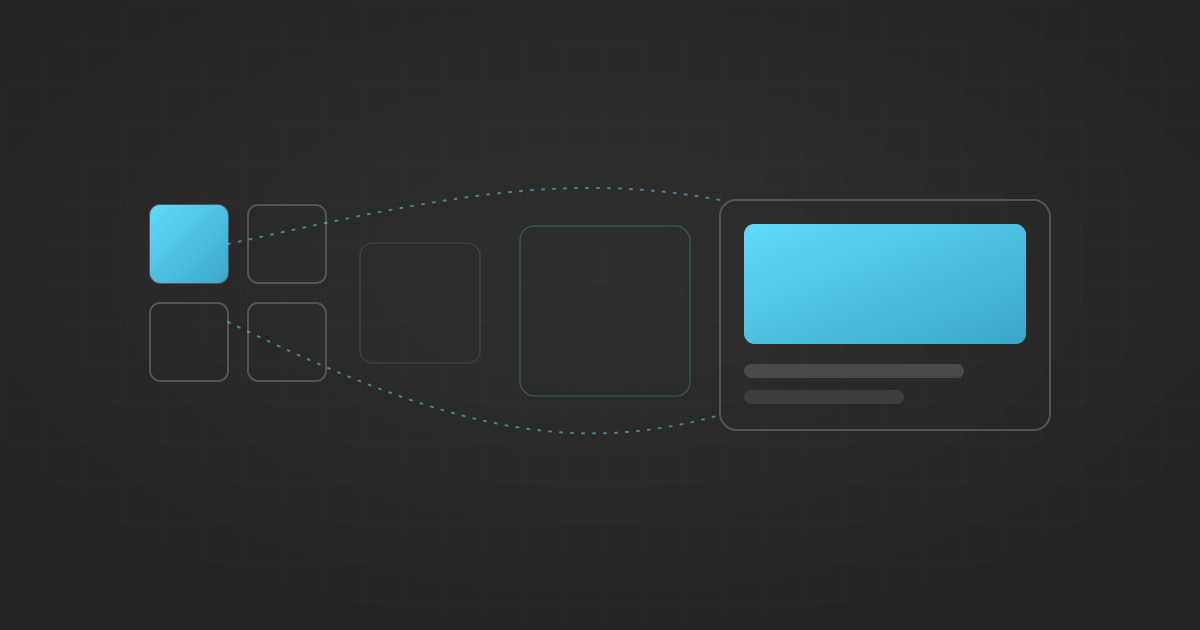
You click a thumbnail in a grid. The detail page loads. The image should grow smoothly into the hero at the top, the way a native app would do it. Instead it blinks out and a new one blinks in.
Closing that gap used to mean hand-rolling a FLIP animation or pulling in framer-motion to choreograph mount, unmount, and layout IDs across a route boundary. Both are a lot of coordination code for what is, conceptually, "make the old thing become the new thing." By the end of this post you'll do that morph with zero animation JavaScript using React's <ViewTransition> component, startTransition, and a few lines of CSS, and you'll know exactly where it belongs.
The mechanism was never the hard part
The browser already solved the mechanism. document.startViewTransition(callback) snapshots the DOM, runs your callback that mutates it, snapshots the result, and cross-fades between the two. You opt an element into continuity with a CSS view-transition-name, and the browser tweens it from old position to new.
That API is Baseline. Chrome and Edge shipped it in 111 (March 2023), Safari in 18 (September 2024), and Firefox stabilized it in 144 on October 14, 2025. This is not a bleeding-edge bet.
The hard part in React was the timing. startViewTransition wants a synchronous DOM mutation inside its callback. React renders asynchronously, tears down subtrees on route changes, and reveals Suspense content when data resolves. <ViewTransition> fixes that timing problem: it lets the framework decide what changed and when, and hands the browser a clean before-and-after to animate.
Keep three decisions separate. The What is markup, you wrap the thing that should animate. The When is scheduling, a <ViewTransition> only activates when the state change is wrapped in startTransition, useTransition, useDeferredValue, or a <Suspense> flip. The How is CSS. That middle one is the number one reason a transition silently does nothing.
Why your transition does nothing (the setState trap)
Here is the "hello world": cross-fade a content area when a tab changes. This looks correct and will not animate:
function Dashboard() {
  const [tab, setTab] = useState('overview');
  return (
    <>
      <TabBar active={tab} onSelect={setTab} />
      <ViewTransition default="auto">
        <TabPanel tab={tab} />
      </ViewTransition>
    </>
  );
}
You wrapped the What, but even the default cross-fade won't fire. setTab is a plain synchronous update, so React has no reason to treat it as a transition. Tell React it is one:
function Dashboard() {
  const [tab, setTab] = useState('overview');
  const selectTab = (next) => startTransition(() => setTab(next));
  return (
    <>
      <TabBar active={tab} onSelect={selectTab} />
      <ViewTransition default="cross-fade">
        <TabPanel tab={tab} />
      </ViewTransition>
    </>
  );
}
Now the update runs as a Transition and the browser cross-fades. The class you pass becomes the selector suffix, so you style the transition, not the component:
::view-transition-old(.cross-fade),
::view-transition-new(.cross-fade) {
  animation-duration: 300ms;
}
Shared elements: the morph you actually came for
<ViewTransition> reacts to four things: enter (inserted during a Transition), exit (deleted), update (mutated or moved), and share. The last one is the thumbnail-to-hero morph, and it takes precedence over enter and exit. When React finds the same name leaving on one side and arriving on the other, it treats them as one element moving.
On the grid:
function ProductCard({ product }) {
  return (
    <Link href={`/products/${product.id}`}>
      <ViewTransition name={`product-image-${product.id}`}>
        <img src={product.thumbnail} alt={product.name} />
      </ViewTransition>
    </Link>
  );
}
On the detail page, the same name on the hero:
<ViewTransition name={`product-image-${product.id}`}>
  <img src={product.hero} alt={product.name} />
</ViewTransition>
As long as the navigation runs inside a Transition (in Next.js 16, client navigations already do), the browser tweens the thumbnail's rect into the hero's rect. Position, size, aspect ratio, all interpolated. No useLayoutEffect, no measuring, no layout ID registry.
The unique-name pitfall you will hit in a list
A view transition name must be globally unique among mounted components. Render a grid with a hardcoded name and React throws "two <ViewTransition name=…> with the same name mounted at the same time":
{products.map((product) => (
  <ViewTransition key={product.id} name="product-image">
    <img src={product.thumbnail} alt={product.name} />
  </ViewTransition>
))}
Twelve cards means twelve identical names, and React can't know which thumbnail should morph into the hero. Scope the name to the item:
{products.map((product) => (
  <ViewTransition key={product.id} name={`product-image-${product.id}`}>
    <img src={product.thumbnail} alt={product.name} />
  </ViewTransition>
))}
Now only the card you clicked shares a name with the detail hero, so only that pair morphs.
For direction-aware navigation, addTransitionType lets you tag the cause inside startTransition and key an object-valued enter/exit prop by that tag, so forward slides left and back slides right off the same boundary. And because useDeferredValue schedules its recompute as a Transition, wrapping filtered list rows in <ViewTransition> slides them to their new positions instead of jumping. React 19.2 (October 1, 2025) added Suspense-reveal batching so server-rendered reveals land together in one coordinated transition, and it stops batching if your LCP nears 2.5 seconds so it won't trade away Core Web Vitals for a prettier animation.
This is not your animation library
Here is the line I'll defend. <ViewTransition> is for structural changes: navigation, expanding panels, reordering. It is not a replacement for the CSS transitions on your buttons and hover states, and reaching for it there is a mistake. A hover color shift is cheap and local; a plain CSS transition handles it with no scheduling dependency. Route it through <ViewTransition> and you pay for DOM snapshotting to animate something that never needed it.
Someone will say one unified animation system is simpler than two. In a small app, maybe. At scale, conflating "the whole route changed" with "this one button is hovered" is exactly the over-generalization that makes an animation layer impossible to debug. Keep them separate.
One more thing: React does not respect prefers-reduced-motion automatically. Shipping without the guard is an accessibility bug, so add it in CSS:
@media (prefers-reduced-motion: reduce) {
  ::view-transition-group(*),
  ::view-transition-old(*),
  ::view-transition-new(*) { animation: none !important; }
}
The adoption caveat that decides whether you ship
The browser View Transitions API is Baseline. The React <ViewTransition> component is not. It ships in react@canary and react@experimental, described as "tested in production and stable, but the final API may still change." Next.js 16 stabilizes it for production, so on Next.js 16 the path is paved and framer-motion is deletable for navigation and shared-element work. On a plain stable React release you either wait or call document.startViewTransition directly against the Baseline browser API.
Same-document transitions, the ones covered here, work in Chrome, Edge, Safari 18, and Firefox 144. Cross-document transitions via the @view-transition at-rule are Chromium-only since Chrome 126 (June 2024), so if you animate full-page loads across a classic multi-page site, plan for Chromium-only for now.
Wire up the What, trigger the When, style the How, add your reduced-motion guard, and delete the FLIP code you've maintained for three years. The morph you always wanted is now a wrapper and four lines of CSS.