As a frontend engineer, you're no stranger to dealing with asynchronous code. But have you ever found yourself scratching your head during an interview, trying to explain the intricacies of the JavaScript Event Loop? In this post, we'll dive deep into the world of asynchronous programming, exploring the Event Loop, callbacks, promises, async/await, and more. By the end, you'll be well-equipped to tackle even the toughest interview questions.
The Event Loop: A High-Level Overview
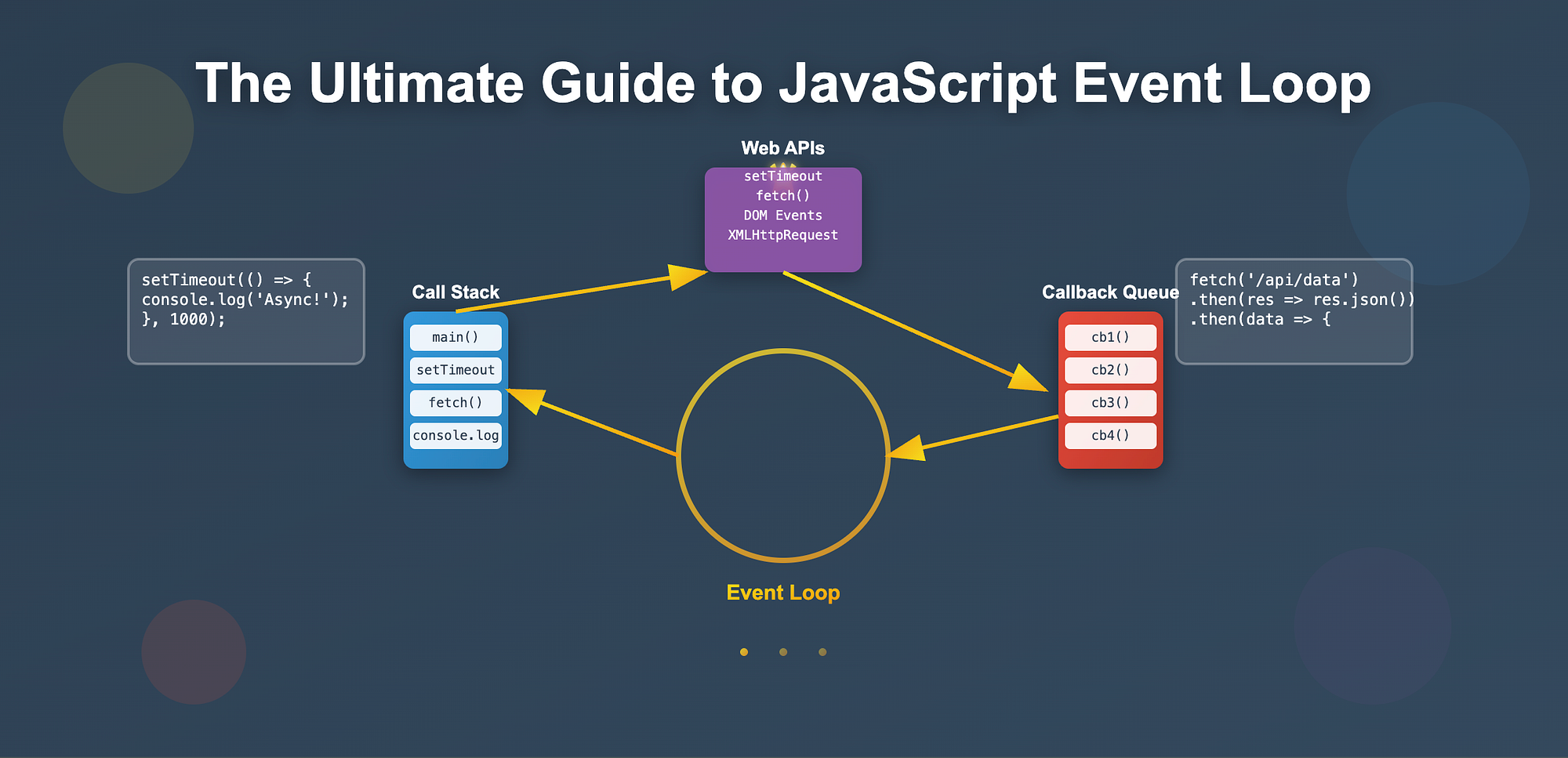
The JavaScript Event Loop is a mechanism that allows JavaScript, a single-threaded language, to handle multiple tasks concurrently. It manages the execution of code, handling events, and updating the UI.
Imagine a restaurant: the waiter takes your order and gives it to the kitchen. While your food is being prepared, the waiter attends to other customers. When your food is ready, the waiter brings it back. Similarly:
- Task Queue: The Event Loop receives tasks (code execution, events) and adds them to a queue.
- Stack: The JavaScript engine executes tasks one by one, using a stack for the current execution context.
- Web APIs: The browser's Web APIs perform async work (network requests, timers, etc.).
Callbacks: The Foundation of Asynchronous Programming
Callbacks are functions passed as arguments and executed when an operation completes.
function greet(name, callback) {
  console.log(`Hello, ${name}!`);
  callback();
}

greet("John", () => {
  console.log("Callback executed!");
});
The Pyramid of Doom
Nested callbacks lead to "callback hell"—hard to read and maintain.
getUserData((user) => {
  getUserPosts(user.id, (posts) => {
    console.log(posts);
  });
});
Promises: A Better Way
Promises represent a value that may not be available yet.
function getUserData() {
  return new Promise((resolve) => {
    setTimeout(() => resolve({ name: "John", id: 1 }), 1000);
  });
}

getUserData()
  .then((user) => console.log(user))
  .catch((error) => console.error(error));
Async/Await: The Syntax Sugar
Async/await makes asynchronous code look synchronous.
async function getUserData() {
  try {
    const user = await getUserDataAsync();
    console.log(user);
  } catch (error) {
    console.error(error);
  }
}
Common Interview Questions and Strategies
- What is the Event Loop, and how does it work? Explain task queue, stack, and Web APIs.
- How do you handle asynchronous operations? Discuss callbacks, promises, and async/await, with pros and cons.
- What is the difference between synchronous and asynchronous code? Give examples.
Practical Tips and Gotchas
- Use async/await for readability when chaining async operations.
- Always handle errors with try/catch or .catch().
- Avoid callback hell by using promises or async/await.
Setup Guidance and Debugging
- Use Chrome DevTools or Node.js Inspector to step through code and observe the Event Loop.
- Log events and inspect the call stack to see execution order.
Wrapping Up
Mastering the Event Loop and async programming is crucial for frontend engineers. With the concepts and examples above, you'll be ready for interview questions and real-world code.
Additional Resources: MDN Web Docs (Event Loop), JavaScript.Info (Async/Await).