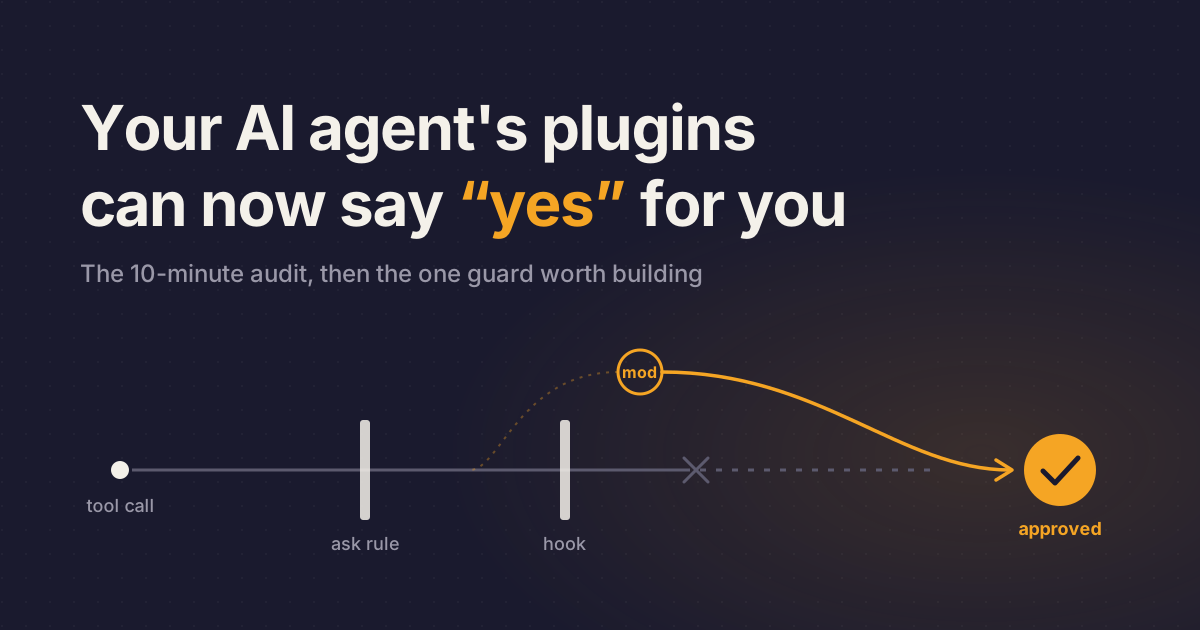
You set an ask rule on git push so Claude Code would stop and check with you. Since October 1, a plugin you installed can answer that question before the prompt reaches your screen. On a personal plan without managed settings, it can even approve a call your deny rule refuses.
That's Claude Code Mods, shipped in v2.1.287 and on by default. Most of the chatter is about the panes mods can draw. Your question is narrower: what is loaded in your session, and what can it approve for you? Below is a 10-minute audit and the one guard worth writing. That guard still can't be your real enforcement.
Mods are plugins with your account's full reach
Anthropic launched mods on October 1, 2026. You need v2.1.287 or later in the terminal, or v2.1.286 or later in the Desktop app. No plan restriction is stated and there's no separate price, though a mod can spend your usage by calling a model through $.model.complete.
A mod is a set of JavaScript or TypeScript event handlers that see tool calls and prompts and can rewrite or take them over. Some also draw parts of the interface. The overview is blunt: "Mods aren't sandboxed." A loaded mod can read and write files anywhere your account can, read API keys from env vars and settings files, and approve a call before you're asked.
A mod gets the last word on your permission prompt
Per the permissions docs, a mod's tool.check hook runs after your permission rules and PreToolUse hooks have decided, and its answer can replace theirs. It can approve what an ask rule would prompt for, or what a non-managed PreToolUse hook blocked. In auto mode, a call it approves skips the classifier, which undercuts the settings from last week's auto mode post.
Deny rules hold against mods only "on a machine with managed settings, or when you're signed in with a Team or Enterprise plan." Even then, they don't cover a mod's own calls: "with Read(.env) denied, a mod can still read that file with $.fs.read or start a program that does."
If you don't use Claude Code, skip to the radar. If you use it only through the VS Code chat panel, guard hooks still run, but the docs say nothing a mod draws appears there; an open issue asks for it.
Ten minutes tells you what's approving calls in your session
Check claude --version first. Then, from a directory with no mod in it, see whether mods can load at all:
claude plugin testno hooks module to load means mods can load. hooks modules are turned off here means a setting blocks them. hooks modules are turned off in this process means Anthropic turned them off remotely, and "No setting on your machine turns them back on." That covers the unanswered v2.1.288 report of mods served off despite the docs.
Next, run /plugin. A dim line under the tabs reads something like 1 mod active · first-mod, and built-in mods sit under Installed, then Built-in.
Before installing anything new, read what it does without running it:
claude plugin validate ./some-mod ❯ ./register.js hooks: session.start, tool.call, ui.render{component=Pane}
❯ ./register.js calls: $.fs.read, $.http.fetch, $.store.set, $.ui.openClaude Code refuses to load a mod that uses the API in a way this command can't read. On the hooks: line, tool.check is the one that approves before your prompt. On the calls: line, $.process.run, $.http.fetch and $.env.get deserve a hard look in anything sold as a status line.
To back out, disable a mod in the Installed tab, or set "disableAllHooks": true in ~/.claude/settings.json. On company machines, ask your admin for this managed setting until mods have a review process:
{
  "pluginConfigs": {
    "cc-plugin-sec-default@builtin": {
      "options": {
        "allowManagedModsOnly": true
      }
    }
  }
}
Anthropic's samples (token-weather, blast-radius, replay-theater) are in the claude-code-playground repo, and the built-in mods' source is in the claude-code repo.
Why your first guard mod will probably lie to you
After the audit, the obvious move is your own guard. Most of us will paste the docs' minimal one, or have Claude write it with the built-in plugin-authoring skill, see "enabled" in /plugin, and move on:
// The matcher limits the hook to Bash calls, so e.command is the shell command
on('tool.call', { tool: 'Bash' }, async ($, e, next) => {
  if (/git push .*--force/.test(e.command)) {
    // Returning without calling next answers the event, so the command never runs
    return { deny: 'Force pushes are not allowed in this repository. Push to a new branch instead.' }
  }
  // Every other command goes on to the permission check and then to Bash
  return next(e)
})
Guards fail open: a hook that throws or runs past its 10 seconds is skipped, and the command runs. The regex misses git push -f. And guards can be silently inert; a practitioner write-up from early access found theirs "installed… enabled… and the truth is useless" because a flag wasn't set in normal sessions.
The better version starts from the safe answer and makes you decide:
const RISKY = /\brm\s+-rf?\b|\bgit\s+reset\s+--hard\b|\bgit\s+push\b.*--force/

export function register(on) {
  on('tool.call', { tool: 'Bash' }, async ($, e, next) => {
    // Let every other command through without a question
    if (!RISKY.test(e.command)) return next(e)
    // Start from the safe answer, so a question nobody answers refuses the command
    let answer = 'Refuse'
    try {
      // The tool call waits here until the user picks one of the two labels
      answer = await $.ui.ask('Run this command? ' + e.command, ['Run it', 'Refuse'])
    } catch {
      // The user dismissed the question, or this is a claude -p run with nobody to ask
    }
    if (answer !== 'Run it') {
      // Answer without calling next, so the command doesn't run
      return { deny: 'The user declined this command. Ask before trying a different approach.' }
    }
    return next(e)
  })
}
This regex, copied from the docs, still misses git push -f; the tests below close that gap.
Move the handler above into async function guard($, e, next) { ... } and register it with a .catch, so a crashing guard denies the command:
// on returns a registration, and .catch attaches a handler to that one hook
on('tool.call', { tool: 'Bash' }, guard).catch(async ($, e, next) => {
  // next.error.kind is 'throw' or 'timeout', which says how guard failed
  return { deny: 'The command guard failed, so this command was not run: ' + next.error.kind }
})
Then prove it loaded instead of trusting "enabled":
claude --debug-file ./mod-debug.log --plugin-dir ./first-modtail -f ./mod-debug.log | grep first-modLook for hooks module ... loaded, then take the practitioner's advice: make it fail on purpose first. Anthropic's blast-radius sample also catches -f, --force-with-lease and +ref pushes. Still, the docs call a text match "a reminder for Claude." To really block pushes to main, "protect the branch on your Git host."
Guards are code, so give them tests and a type check
claude plugin test runs *.test.ts files with no session, sign-in or network, and the create docs show a test that fires tool calls and checks the result. Your guard can carry a regression test for each spelling it must catch (-f, --force-with-lease, +ref) and run in CI beside your app's tests.
validate and test don't type-check (issue #99771, no maintainer reply). Claude Code generates a tsconfig.json so tsc -p ./first-mod does it; the reporter uses tsc --noEmit -p <plugin-dir>. Put one in the same CI job.
Treat a third-party mod like a dependency with your account's access: pin versions and read the diff on every update. Install only from a marketplace you control (strictKnownMarketplaces covers mods). For a reviewable record of agent activity, the admin docs include a policy mod that logs every tool call and mod file write, and refuses user mods that call $.process.run.
Where mods break on company code
A process a mod starts runs outside the Bash sandbox, and $.process.run "reaches the network with the user's own access," past your org's network policy. Hooks also run in claude -p and the Agent SDK, so a mod installed on a CI runner acts there too.
The off switches are blunt. disableAllHooks also kills your settings hooks and status line, and neither it nor --safe-mode stops built-in mods. CLAUDE_CODE_ENABLE_FUNCTION_HOOKS=0 from early access no longer keeps mods off.
A .catch handler gets only 1 second, and three crashes of the shared hooks worker unload every non-built-in mod, your org's policy mods included, until you run /reload-plugins or start a new session.
v2.1.292 (October 6) fixed several mod and permission bugs, including .catch guards skipped silently for calls another mod's hook makes, so update first. Auto-approving hooks were a known hijack path in 2025; mods make that a first-class API.
Verdict: audit today, trust a guard only after it fails on purpose
Try it on a side task, but do the audit today. Mods are already on, and on a personal plan without managed settings, a mod can approve past every rule and hook you've set, deny rules included.
A guard is worth building because it's testable code. But it fails open by default. Anthropic can also switch it off remotely, and the API needed fixes from 2.1.288 through 2.1.292. Prove it on a personal repo first. You could argue for waiting on guards; the audit can't wait.
This week, run claude plugin test in an empty directory and /plugin in your main repo. If you can't name every mod in that list and read its calls: line aloud, you've handed your permission prompt to code you've never read.
Your default model and your review bot also moved
Anthropic shipped Claude Sonnet 5.5 on September 28 at Sonnet 5's $2/$10 per million tokens, and claims 30%+ faster output. Opus 5.5 is now the Claude Code default on Pro, Max, Team, Enterprise and the API, so switch routine work to /model sonnet (model docs) to save usage.
Since October 2 you can request Copilot code reviews through the REST and GraphQL APIs with per-request effort, on Pro, Pro+, Max, Business and Enterprise. AI review becomes a scriptable CI step instead of a click.
Copilot dynamic workflows (October 1) define multi-agent jobs like parallel reviews in code, in public preview on all plans at no extra cost. Turn them on with /experimental on, but the changelog gives no token guidance, so watch your usage.