"Design a news feed."
It's the most-asked frontend system design question at Meta, Google, and Amazon, and it's where a lot of otherwise-strong SDE2 candidates quietly lose the room. The naive answer arrives fast: map over an array of posts, attach an onScroll handler, fetch the next page when you near the bottom. It works in the demo. It fails the interview.
By the end of this walkthrough you'll be able to name the four failure modes that separate a junior answer from a senior one, and defend the fix for each with specific numbers instead of hand-waving. Here's the stance I'd argue in the room: a feed is a caching-and-consistency problem wearing a scrolling-list costume. Virtualization is table stakes. The senior signal is everything around it.
Failure mode 1: an unbounded DOM melts the browser
Scroll a naive feed for two minutes and you've mounted a few hundred posts, each with an avatar, media, a reaction bar, a comment preview. That's a lot of nodes.
Lighthouse warns when the body exceeds roughly 800 nodes and errors past about 1,400. A feed is unbounded by definition, so you blow through both. Memory climbs, style recalculation slows on every interaction, and the tab eventually stutters or dies.
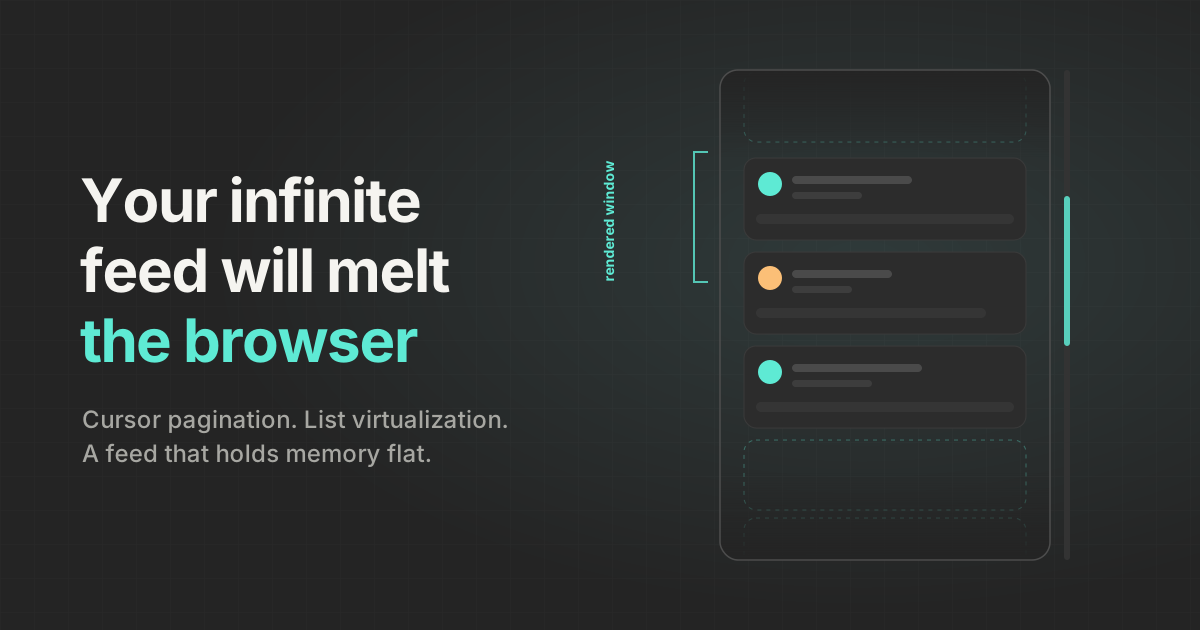
The fix is windowing: render only the posts near the viewport and recycle the rest. Twitter/X does exactly this, keeping invisible spacer <div>s so the scrollbar still reflects total height while off-screen rows are unmounted to hold memory flat. I won't re-derive the mechanics here since I already wrote them up in React list virtualization from scratch. In the interview, the move is to treat virtualization as a solved sub-component and spend two sentences on the tradeoffs you're accepting:
- Off-screen rows collapse to spacer divs, so browser find-in-page (Ctrl+F) only searches visible posts.
- Focus is lost when a focused element unmounts, which matters for keyboard users and needs handling.
For the cheaper end, content-visibility: auto skips rendering work for off-screen elements without unmounting them. web.dev's own demo dropped initial render from 232 ms to 30 ms, roughly a 7x win. Pair it with contain-intrinsic-size so the browser reserves space for content it hasn't painted yet.
Failure mode 2: offset pagination corrupts a re-ranked feed
This is the one that reveals whether a candidate has actually shipped a feed. Everyone reaches for ?page=2&limit=10. It's wrong for a feed, and you should be able to say precisely why.
A feed is re-ranked and mutated constantly. New posts arrive at the top, posts get deleted, the algorithm reshuffles. Offset pagination indexes by position, and position is exactly what's moving under you.
// Wrong: offset pagination on a live feed
const page1 = await api.getFeed({ offset: 0, limit: 10 }); // items [0..9]
// While the user reads, 3 new posts are inserted at the top:
// the old item at index 9 has now shifted to index 12.
const page2 = await api.getFeed({ offset: 10, limit: 10 });
// offset 10 points at items already seen -> duplicates on page 2,
// and the 3 newest posts are silently skipped.
Duplicates and skips, both from the same bug. The fix is cursor pagination: instead of "give me items 10 through 19," you say "give me items older than this post." The cursor is an opaque handle, usually a post ID or timestamp, that stays stable even as the collection shifts.
// Right: cursor pagination. Inserts at the top don't move the cursor.
const page1 = await api.getFeed({ count: 10, direction: "older" });
// -> { posts: [...], olderCursor: "p_8842", newerCursor: "p_8919" }
const page2 = await api.getFeed({
  count: 10,
  cursor: page1.olderCursor, // no dupes, no skips
  direction: "older",
});
For dynamic feeds, reach for cursor-based pagination by default. Said with the duplicate/skip bug spelled out, that's worth more than any diagram.
How do you fetch the next page without jank?
Do not listen to raw scroll events and call getBoundingClientRect() to decide when to fetch. That forces synchronous layout on a hot event and is a classic jank source. Use an IntersectionObserver on a sentinel element at the bottom of the list, with a rootMargin that fires roughly one viewport early so the next page is already arriving before the user reaches the end.
function useInfiniteFeed({ loadMore, hasOlder }) {
  const sentinelRef = useRef(null);
  useEffect(() => {
    const node = sentinelRef.current;
    if (!node || !hasOlder) return;
    const observer = new IntersectionObserver(
      ([entry]) => entry.isIntersecting && loadMore(),
      { rootMargin: "0px 0px 100% 0px" } // prefetch ~one viewport early
    );
    observer.observe(node);
    return () => observer.disconnect();
  }, [loadMore, hasOlder]);
  return sentinelRef;
}
The same observer drives media lazy-loading: start fetching an image slightly before it scrolls into view, with no continuous scroll listener anywhere.
Failure mode 3: the feed loads fast but still feels broken
Candidates optimize for LCP because that's the metric they've memorized. A feed is a long-lived, interaction-heavy surface, so the metric that actually judges it is INP, not LCP.
Keep the targets concrete: INP at or below 200 ms at the 75th percentile is good, 200 to 500 ms needs improvement, and anything over 500 ms is poor. LCP should still land under 2.5 seconds on mid-range mobile, and CLS should stay under 0.1 across the whole session, not just first paint. That "across the session" part is where feeds bleed points, because every image that loads without reserved space shoves the content below it downward.
// Wrong: image has no reserved space until it loads.
// Every post that finishes loading shifts the feed and racks up CLS.
function FeedItem({ post }) {
  return (
    <article>
      <img src={post.mediaUrl} alt={post.altText} />
      <p>{post.text}</p>
    </article>
  );
}
// Right: reserve the box up front; keep off-screen rows cheap
// without collapsing the scroll height ("auto" remembers last size).
function FeedItem({ post }) {
return (
<article
style={{ contentVisibility: "auto", containIntrinsicSize: "auto 480px" }}
>
<img
src={post.mediaUrl}
alt={post.altText}
width={post.mediaWidth}
height={post.mediaHeight}
style={{ aspectRatio: `${post.mediaWidth} / ${post.mediaHeight}` }}
/>
<p>{post.text}</p>
</article>
);
}Setting explicit width, height, and aspect-ratio reserves the media box before the bytes arrive. contain-intrinsic-size: auto tells the browser to remember the last-rendered size of an element it has skipped, which the spec authors call out as especially helpful for infinite scrollers.
Failure mode 4: state goes stale and inconsistent
This is the layer that separates a senior answer from a junior one, and it's the part most candidates never reach because they burned their time on the scroll listener.
Start with the store shape. Do not hold posts as nested arrays inside each feed. Normalize into postsById, usersById, mediaById, and let each feed be an ordered list of post IDs annotated with pagination and freshness metadata: olderCursor, newerCursor, hasOlder, hasNewer, lastFetchedAt. When a user edits a caption or a follower count changes, you write one entity and every view referencing it updates at once. No hunting through arrays for duplicated copies.
// Normalized entity store
{
  postsById: {
    p_8842: { id: "p_8842", authorId: "u_12", mediaId: "m_5",
              reactionCount: 42, viewerHasReacted: false },
  },
  usersById: { u_12: { id: "u_12", name: "Ada L.", avatarId: "m_2" } },
  feedsById: {
    home: {
      postIds: ["p_8919", "p_8842"], // ordered; entities live elsewhere
      olderCursor: "p_8842", newerCursor: "p_8919",
      hasOlder: true, hasNewer: true, lastFetchedAt: 1_690_000_000_000,
    },
  },
}
Because the home feed is personalized, SEO is irrelevant, so default to client-side rendering; SPA navigation preserves cached entities, scroll position, and in-flight optimistic updates. Reserve SSR for public permalinks and logged-out surfaces. On the network contract, lean on Cache-Control plus ETag so revalidation is a cheap 304, paint cached data instantly with stale-while-revalidate, dedupe identical in-flight requests, and cancel stale ones with AbortController.
Optimistic updates that don't lie to the user
A reaction should feel instant. Apply it to the store immediately, fire the request with an idempotency key so retries are safe, and treat the server response as authoritative: it overrides the local guess on disagreement, and racing mutations resolve last-writer-wins.
async function toggleReaction(postId, dispatch, api) {
  const prev = store.postsById[postId];
  dispatch({ type: "PATCH_POST", postId, patch: {
    viewerHasReacted: !prev.viewerHasReacted,
    reactionCount: prev.reactionCount + (prev.viewerHasReacted ? -1 : 1),
  }});
  try {
    // Same key on retry => server dedupes, and its response wins.
    const server = await api.react(postId, {
      idempotencyKey: `react:${postId}:${prev.viewerHasReacted}`,
    });
    dispatch({ type: "PATCH_POST", postId, patch: server });
  } catch (err) {
    dispatch({ type: "PATCH_POST", postId, patch: prev }); // roll back
  }
}
Push this further and you get the offline outbox: write the mutation to IndexedDB keyed by its idempotency key, apply the optimistic update, fire the request, drop it on success, and retry with exponential backoff plus jitter on failure. Short-circuit non-retryable statuses (400, 401, 403, 404, 422) instead of hammering them. For consistency across a user's open tabs, broadcast each mutation over BroadcastChannel so a like in one tab doesn't leave the others stale.
New posts without yanking the scroll position
Live updates ride a transport ladder: WebSockets by default for low-latency bidirectional traffic, SSE when you only need server push, and polling reserved for a low-priority "new posts available" banner. Scope live updates to visible posts and throttle a viral post down to count-only updates so you're not re-rendering on every reaction worldwide.
The detail that impresses: don't inject new posts into the viewport while someone is reading. Prepend them to the store but hold them behind a banner, the way X does. When the user taps it, overflow-anchor keeps the scroll position pinned so inserting content above doesn't jump the page. One caveat: overflow-anchor isn't Baseline and fails in some widely-used browsers, so pair it with a JS fallback that captures scrollHeight before the insert and restores the offset after.
What actually earns the senior signal
Say the quiet part out loud in the room: virtualization is the answer everyone gives, which means it's the answer that scores you nothing on its own. The candidate who gets the offer is the one who treats the feed as a mutable, cached, multi-tab dataset that happens to scroll.
So when you draw the boxes, spend your minutes where the difficulty lives: cursor consistency under inserts and deletes, a normalized store that makes one edit propagate everywhere, optimistic writes reconciled against an authoritative server, and a performance contract written in INP and CLS rather than LCP. Get the scrolling list working, then prove you know it was never the hard part.