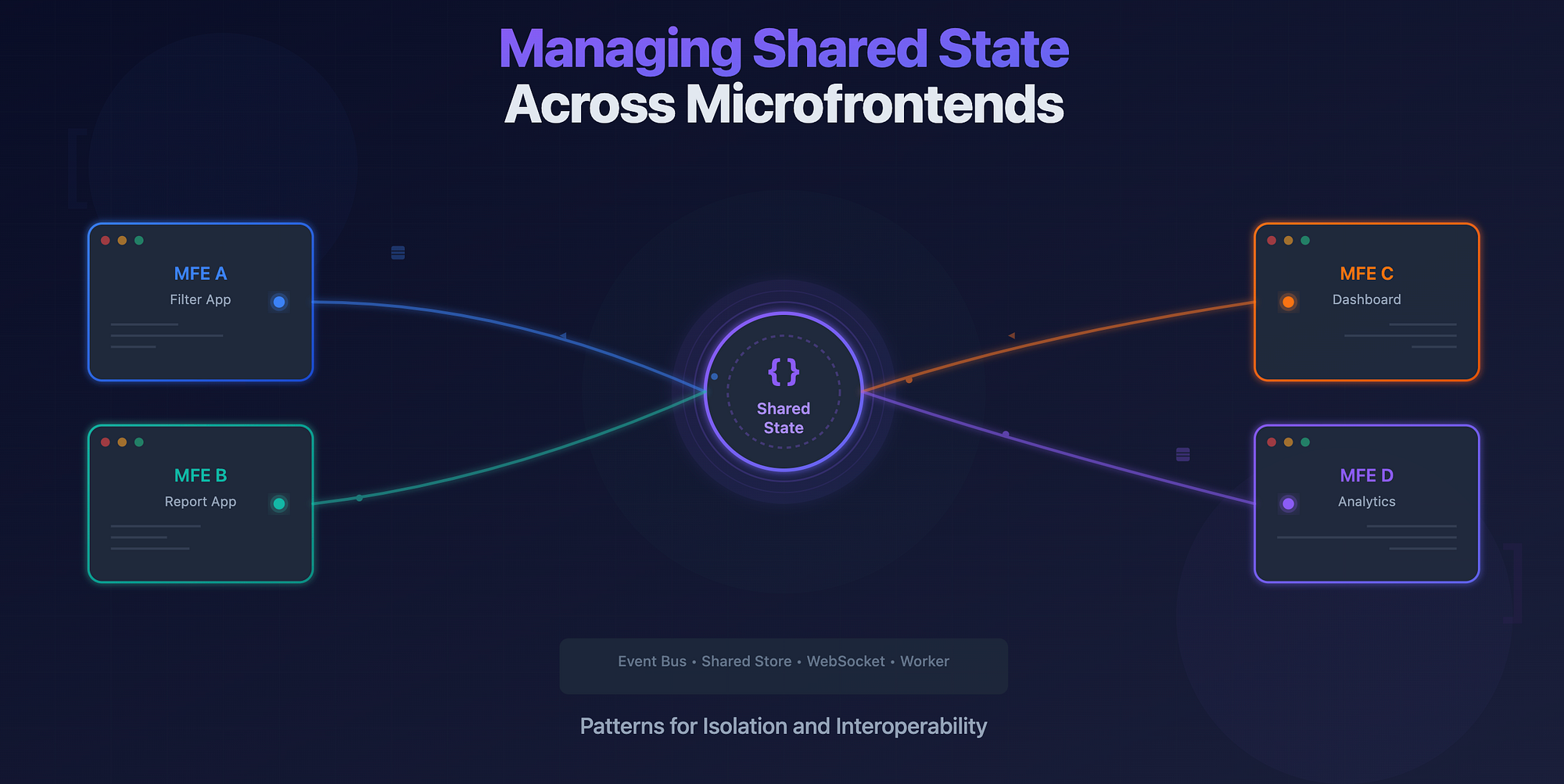
When organizations evolve to a multi-team structure, frontend codebases often follow suit. Each team owns its own microfrontend, deployed independently, versioned separately, and developed at its own pace. This separation gives teams autonomy but introduces a new challenge: how to share state across boundaries.
Think about common experiences across multiple apps: a shared user session, a global filter (like date range or region), or an interdependent workflow that spans microfrontends. In such cases, maintaining isolation while keeping data consistent across apps is hard.
Let's look at why this is difficult, and then explore a few patterns that make shared state more manageable.
Why Shared State Is Hard
-
Isolation by Design — Each microfrontend runs in its own runtime context, often within separate bundles or even iframes. This makes direct access to another app's memory or store impossible or unsafe. Sharing references across microfrontends breaks isolation guarantees and risks unexpected side effects.
-
Versioning and Ownership — Different teams own different parts of the UI, often releasing on independent schedules. A shared dependency (like a common store library) introduces versioning headaches; one team's upgrade might break another's app if compatibility isn't carefully maintained.
-
Synchronization and Latency — Even when a shared state is technically accessible, ensuring it stays synchronized is tricky. Network delays, message timing, or missed events can lead to inconsistent views of the same data.
The challenge is to design a pattern that lets apps communicate meaningfully without tightly coupling their internal logic.
Common Patterns for Shared State
1. Shared State via Global Event Bus
The simplest way to share state between microfrontends is to exchange messages instead of memory. A global event bus, implemented using the browser's native window events, a lightweight library, or a custom message broker, acts as the mediator.
Each microfrontend can subscribe to specific events and publish updates when its local state changes.
Example:
// In MFE A (Filter App)
window.dispatchEvent(
  new CustomEvent("filtersUpdated", { detail: { dateRange: "last_30_days" } })
);

// In MFE B (Report App)
window.addEventListener("filtersUpdated", (e) => {
  const { dateRange } = e.detail;
  updateReport(dateRange);
});
This approach is simple and version-independent. However, it's loosely typed and unidirectional, which can make debugging harder. There's no central truth, just events flying around. It works best when communication is minimal or one-way.
2. Shared Zustand or Redux Store
A more structured approach is to share a common store instance, such as Zustand, Redux, or Recoil, hosted in a separate module that all microfrontends import.
Each app connects to the same store at runtime, reading and updating shared state.
How it works:
- The shared store is exposed as a standalone microfrontend (e.g. @shared/state-store).
- Each microfrontend imports this store dynamically.
- The store uses cross-app subscriptions to trigger updates.
// shared-store.js
import create from "zustand";
export const useSharedState = create((set) => ({
  filters: {},
  setFilters: (filters) => set({ filters }),
}));

// MFE A
import { useSharedState } from "@shared/state-store";
const { setFilters } = useSharedState();
setFilters({ dateRange: "last_30_days" });

// MFE B
const { filters } = useSharedState();
useEffect(() => {
  loadReport(filters);
}, [filters]);
This pattern provides reactive state sharing with predictable updates. It works best when you control deployment and versioning for the shared module, or when all microfrontends are hosted within a unified shell.
However, it introduces coupling at the dependency level — version mismatches between microfrontends can lead to inconsistent behavior.
3. Shared WebSocket or Worker Communication
For dynamic or frequently updated shared state (like live notifications, user presence, or collaborative sessions), a shared WebSocket or Web Worker can act as the source of truth.
Each microfrontend communicates through a central channel rather than holding a shared store in memory.
How it works:
- A single WebSocket connection (or SharedWorker) is opened by a host shell.
- All microfrontends communicate through this shared connection.
- The worker handles message distribution and ensures consistency.
Example:
// shared-worker.js
const connections = [];
onconnect = (e) => {
  const port = e.ports[0];
  connections.push(port);
  port.onmessage = (event) => {
    connections.forEach((c) => c.postMessage(event.data));
  };
};

// In each microfrontend
const worker = new SharedWorker("/shared-worker.js");
worker.port.onmessage = (event) => {
  const { filters } = event.data;
  updateUI(filters);
};
This approach isolates data transport from the UI layer. It's ideal for real-time data or scenarios where multiple apps need to stay in sync even when they're not in the same frame.
Example: Shared Filter State Between Two Microfrontends
Imagine two apps: Filters App and Reports App, sitting inside a dashboard. When a user changes the date range in the Filters App, the Reports App should automatically refresh its data.
Using the global event bus pattern, we can wire this up easily:
- Filters App: Publishes a filtersUpdated event when a change occurs.
- Reports App: Listens for filtersUpdated and updates its local state accordingly.
If the dashboard grows and more apps depend on the same filter state, you can migrate this communication to a shared Zustand store for stronger typing and reactive updates, or move to a SharedWorker if synchronization needs to persist across browser tabs.
Best Practices and Pitfalls
-
Keep the shared surface small — Only share what truly needs to be shared — global session data, filters, or layout preferences. Everything else should remain local to preserve autonomy.
-
Establish clear ownership — Decide which team owns the shared state definitions and communication protocols. Versioning and compatibility depend on it.
-
Prioritize decoupling — Even with shared stores, keep dependencies modular. Shared code should expose contracts, not internal logic.
-
Be cautious with reactivity — Reactive state can trigger unexpected renders across microfrontends. Use selectors and subscription scoping to limit updates.
-
Plan for failure and fallback — If one microfrontend fails or disconnects, others should continue to function gracefully.
Wrapping Up
Managing shared state across microfrontends is a balancing act between isolation and interoperability.
Event-driven communication offers simplicity. Shared stores offer structure. Worker-based channels offer resilience. The right choice depends on your scale, team autonomy, and synchronization needs.
No single pattern fits all cases, but a well-designed shared state strategy can make your multi-frontend architecture feel like one cohesive system.