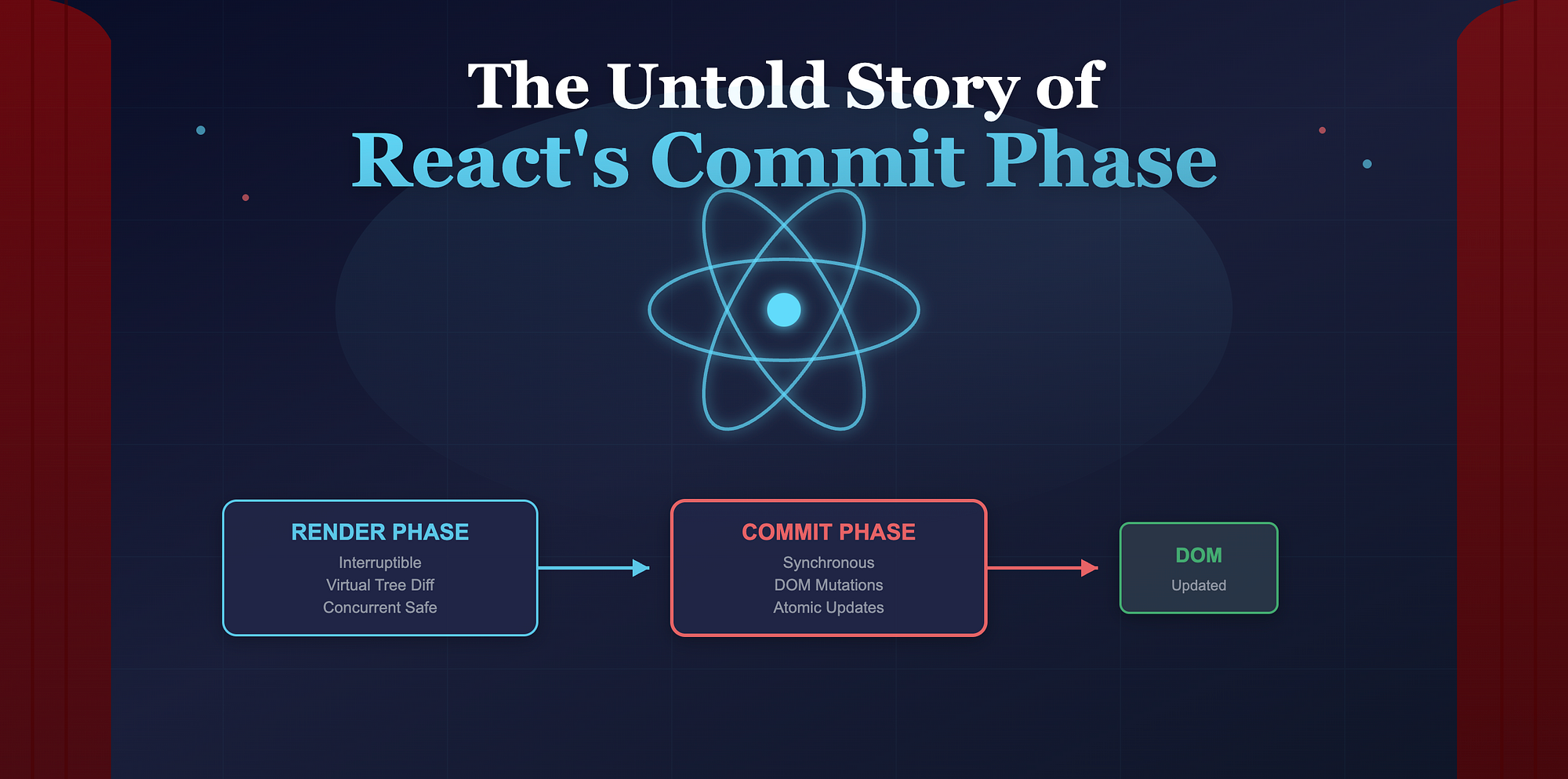
Imagine React as a grand theater production.
Every time your UI updates, React prepares the stage. Actors (components) rehearse their lines, props are rearranged, lights are tested. That rehearsal is the Render Phase.
Then, when everything is ready, the curtain rises and the audience finally sees the play. That live moment is the Commit Phase.
Most developers understand React's "rendering" at a surface level. But very few truly understand what happens when React decides to commit those changes to the screen. Let's lift that curtain.
Render vs Commit: The Two Acts of React
React's reconciliation process is split into two distinct phases:
Render Phase:
- React figures out what needs to change by diffing virtual trees. It prepares a new Fiber tree.
- Yes, it can be interrupted or resumed in concurrent mode.
Commit Phase:
- React applies the final changes to the actual DOM and runs side effects.
- No, it runs synchronously and cannot be interrupted.
Think of it like this:
- Render phase: React is thinking. It builds a "plan".
- Commit phase: React is acting. It performs that plan on the real UI.
Inside the Commit Phase
Once React finishes rendering and has a new Fiber tree ready, it performs the commit in three sub-phases:
- Before mutation phase
- Mutation phase
- Layout phase
Let's look at each one closely.
1. Before Mutation Phase
React first runs effects that need to happen before the DOM is mutated.
Example: getSnapshotBeforeUpdate. This method allows you to read layout or scroll position before React applies DOM changes.
Pseudo-sequence:
// Before Mutation Phase
for each fiber in commitQueue:
  if fiber has getSnapshotBeforeUpdate:
    run it
Nothing has changed in the DOM yet at this point. React is giving you a chance to capture a snapshot of the current state.
2. Mutation Phase
Now React performs the actual DOM mutations based on the Fiber tree differences.
- Adding, removing, or reordering DOM nodes
- Updating text content
- Applying attribute or style changes
Pseudo-sequence:
// Mutation Phase
for each fiber with effectTag (Placement | Update | Deletion):
  applyMutation(fiber)
This phase is critical because it directly affects what the user sees. React ensures that all these DOM updates happen in a single, atomic step, meaning the user never sees an inconsistent half-updated UI.
To visualize:
Fiber Tree (Old)
     ↓
Diff + Effects
     ↓
Commit (Mutation)
     ↓
DOM Updated Atomically
3. Layout Phase
Once mutations are done, React runs layout-related effects such as useLayoutEffect.
These effects run synchronously after the DOM is updated but before the browser paints.
That's why reading layout values inside useLayoutEffect is always up-to-date.
Finally, after the browser paints, React schedules passive effects (useEffect) to run asynchronously. This keeps the main thread free during rendering and avoids jank.
Pseudo-timeline:
Commit Phase:
  1. Before Mutation  → getSnapshotBeforeUpdate
  2. Mutation        → DOM Updates
  3. Layout          → useLayoutEffect
  4. Paint
  5. Passive Effects → useEffect
How React Ensures Atomic Updates
When React commits, it locks the process to prevent interruptions. Even in concurrent mode, the commit phase always runs synchronously.
This ensures that the UI update feels instantaneous and consistent. There is no partial DOM update visible to the user.
Internally, React swaps the current Fiber tree with the work-in-progress Fiber tree in a single step:
root.current = root.finishedWorkThis swap marks the transition from the "rehearsal" tree to the "live" tree. After this point, React considers the UI consistent with the virtual tree.
Concurrent Mode and the Commit Phase
With Concurrent Rendering, React can pause, resume, or abandon work in the render phase. But once it commits, it still must finish in one go.
So what changes?
- React can prepare multiple versions of the UI in the background (during render).
- But only one version will be committed.
- Once commit starts, React flushes all mutations and layout effects synchronously.
If you visualize this as a timeline:
[Render Work] → (paused/resumed)
[Render Work Complete] → Commit (atomic, sync)
Concurrent mode improves responsiveness by delaying expensive work, but the commit remains atomic. The curtain only rises when everything is ready.
A Simplified Diagram
Here's a conceptual flow:
┌──────────────────────────────┐
│        Render Phase          │
│                              │
│  Diff old and new Fiber tree │
│  Prepare effects list        │
└────────────┬─────────────────┘
             │
             ▼
┌──────────────────────────────┐
│        Commit Phase          │
│                              │
│  1. Before Mutation           │
│  2. Mutation (DOM updates)    │
│  3. Layout (sync effects)     │
│  4. Paint                     │
│  5. Passive Effects           │
└──────────────────────────────┘
The key takeaway: Render is async and can be paused; Commit is sync and atomic.
Why This Matters: Performance Debugging
Understanding the commit phase helps you reason about:
- Why useLayoutEffect can block painting if it's slow.
- Why useEffect doesn't block UI updates (it runs after paint).
- How batched updates prevent flicker during simultaneous renders.
- Why large DOM mutations in commit can cause visual jank.
When you profile with React DevTools, the "Commit" time shows how long React took to apply changes to the real DOM. If this number is large, your bottleneck is in the commit phase, not the render phase.
Wrapping Up
React's Commit Phase is where everything becomes real. All the clever diffing, reconciliation, and concurrent preparation finally meet the browser.
Understanding it gives you superpowers in performance optimization, effect ordering, and debugging visual inconsistencies. Because once you know what happens behind the curtain, you stop guessing and start tuning.