Every big React codebase starts clean. Components feel crisp. State flows in a predictable way. Adding a new feature feels like dropping a new tile into place.
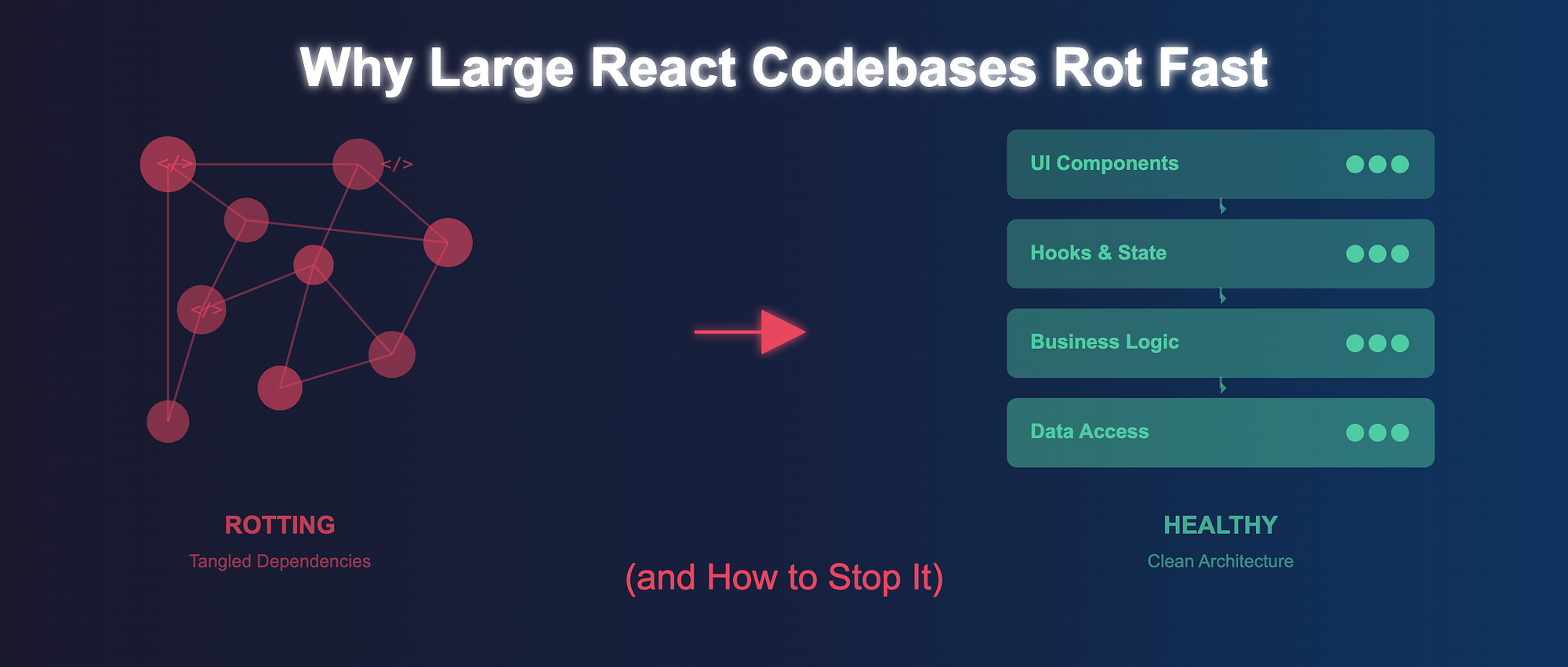
Then one day you open a file and see a Context provider wrapping another Context provider that wraps a custom hook that wraps a helper that wraps a workaround someone added three quarters ago. You try to fix a small bug in the filters module and suddenly you are touching eight files and praying nothing breaks downstream.
That is codebase rot. It shows up quietly, then all at once.
This post breaks down what rot looks like, why it accelerates in React apps, how it spreads across modules, and what teams can do to stop and reverse it.
What codebase rot actually looks like in React apps
Rot is not about old code. Plenty of old codebases are stable and predictable. Rot is about friction. The moment a codebase stops supporting changes and starts resisting them, you are dealing with rot.
In React apps, you can feel this when adding a new filter to a configurable dashboards module requires editing random utility files, updating a context that has nothing to do with dashboards, and adding a conditional three layers deep. Each change forces you to understand parts of the system that should be irrelevant to the feature.
Another sign is when onboarding becomes a scavenger hunt. A new engineer asks where the table state is managed and you are not entirely sure. Some of it lives in a global context, some in the page component, some hidden inside a hook that was created to "simplify things" during a release crunch.
Eventually the team starts saying things like "just don't touch that file" or "we need to rewrite this someday". That is rot talking.
Hidden accelerators that make React codebases decay faster
React gives teams a lot of freedom, and freedom is the perfect breeding ground for accidental complexity. The following accelerators are almost always present in decaying React codebases.
1. Context overuse
Context is great until it becomes a global dumping ground for state that has no business being global. When a single Context holds filters, user preferences, table pagination, and transient UI flags, it becomes impossible to reason about what causes a re-render. Updates leak into components that should remain unaffected.
Once context grows too big, every fix becomes risky because nobody knows which subscribers depend on which part of the state.
2. Ad hoc folder structures
If your project structure looks like a museum of historical decisions, rot is already setting in. Teams often add folders reactively: a hooks folder here, a helpers folder there, another features folder with overlapping responsibilities. When a codebase reaches this stage, developers route new code based on convenience instead of boundaries. The architecture becomes a map of shortcuts.
3. Unclear ownership
When it is not clear who owns a module, nobody owns it. This leads to "drive by" changes. One engineer adds a flag to support a new requirement. Another tweaks the internal API for a one-off use case. Over time, the module drifts away from its original design and becomes a patchwork of mismatched intentions.
4. Lack of boundaries
A module without boundaries always expands. A filters module should expose stable inputs and outputs. Instead it often imports random utilities from other modules, pulls data from external contexts, and mutates props coming from its parent. With no clear contracts, modules grow inward like coral reefs.
5. Prop drilling mutations and stale abstractions
Prop drilling itself is not the villain. Mutating props in place or passing callbacks that trigger too many side effects is the real cause of decay. Even worse is when abstractions stop being maintained. A custom hook that once simplified logic slowly turns into a black box nobody wants to open. Teams start stacking more hooks on top of it until the entire flow is opaque.
Architecture signals that your codebase is decaying
You can usually tell a React architecture is rotting when:
- A component higher up the tree triggers a re-render storm across unrelated leaf components.
- Two modules depend on each other in unpredictable ways. For example, the dashboards module imports a helper from filters, while filters imports a state hook from dashboards.
- Your webpack or Vite chunks grow in size and start blending feature boundaries.
- The team no longer knows where "truth" lives for a given piece of state.
- Fixing a bug in a single feature requires touching multiple modules.
These signals mean your architecture is drifting away from clarity and toward entanglement.
How rot spreads across modules
Rot spreads through dependency shortcuts. A developer needs a small piece of data from the filters module. Instead of exposing it properly, they import a selector from deep inside filters and start calling it from dashboards. Another developer needs to reuse a table component but slightly different. Instead of extending the abstraction, they fork it and keep both versions alive.
Each shortcut creates a new path for unintended coupling. Over time, these paths form a web of tight dependencies where a change in one module sends shockwaves into others. It is rarely malicious. It is almost always the result of pressure to ship quickly.
How to stop and reverse the rot
The good news is that architectural decay can be slowed, stopped, and even reversed. It requires discipline and a shared mental model of how code should be organized.
1. Define boundaries that stick
A module should be self contained. It should define what it needs from the outside and what it exposes. A filters module should not reach into dashboards to pull data. If it needs something, make it a contract. Boundaries force you to think through how modules interact instead of relying on convenience imports.
2. Write clear contracts
Contracts are the API surface of your module. They define what is allowed and what is forbidden. An example:
The filters module exposes a useFiltersState hook, a setFilters action, and a serializeFilters helper. Everything else stays internal.
Contracts create safety. They act like pressure valves, preventing random access to internal details.
3. Use patterns like module state to contain complexity
Large apps often need state that is local to a feature but shared across its internal components. Module state patterns help unify this. Instead of scattering state across contexts, reducers, and local components, you wrap the entire module in a single state container with selectors and update actions.
Teams using module state notice that adding features inside the module becomes easier because the state lives in one predictable place. It also prevents unrelated modules from hijacking the state.
4. Keep dependency direction clean
Dependencies should flow downward. Shared UI primitives should not import domain logic. Modules should not depend on each other in both directions. If dependency direction becomes circular or unclear, pauses become expensive. Refactoring becomes dangerous. Clean dependency direction prevents rot from leaking across the codebase.
5. Move toward a layered architecture
A simple layered structure works surprisingly well in React apps. For example:
UI components
Hooks and state
Business logic and selectors
Data access
This layering helps prevent accidental coupling. A configurable dashboards module should not fetch data directly from a service if that breaks the layering model. Layers help keep your mental model intact as the app grows.
6. Build a refactor friendly culture
Refactoring should not be a special event. It should be part of the daily workflow. When something feels off, fix it. When an abstraction no longer pulls its weight, replace it instead of papering over it.
Code reviews play a big role here. They should evaluate architectural impact, not just syntax. A good review culture slows rot because it stops shortcuts before they enter the codebase.
A framework teams can apply immediately
Here is a simple framework teams can adopt starting today.
- First identify the modules that cause the most friction. Usually you already know them.
- Next define clear boundaries for each module. Write down what the module owns, what it depends on, and what it exposes.
- Then centralize module state so each module has a single source of truth. Replace scattered contexts and random hooks with predictable selectors and reducers.
- After that enforce clean dependency direction. Use code reviews to catch circular dependencies early.
- Finally treat refactoring as ongoing maintenance. Do it in small continuous steps. When the team sees something that feels like rot, they fix it before it spreads.
Large React codebases do not have to decay. With the right boundaries, contracts, and architectural habits, they stay flexible, predictable, and enjoyable to work in even as they grow.